Guide & FAQ
PoolTransit introduces you to someone going your way, so you can share the ride and split the cost. Here's how it works, and answers to the questions we get most.
The three ways to travel
Tap a mode to see its step-by-step guide below.
Go Now
For a ride right now.
- Pick your two stops and how you'd like to travel.
- We look for one commuter going your exact same way.
- You both accept within 60 seconds to lock it in.
- Chat, meet at your stop, and share the ride.
✓ Showing the guide belowSee it step by step ›
Line Up
Share a cab with a few others.
- Choose where you start and end, then tap Line Up.
- Join the group that leaves in the next 30-minute window.
- When four people line up for the same route, the group forms.
- Chat, meet, share the cab, and split the fare.
✓ Showing the guide belowSee it step by step ›
Plan Ahead
Book before you set off.
- Pick your stops and a pickup time, the evening before.
- About an hour before, tap "Yes" to keep your spot.
- Around 30 minutes before, we match you with a co-rider.
- Meet up, ride together, and split the fare.
✓ Showing the guide belowSee it step by step ›
Go Now, step by step
The fastest way to travel. Tap once, and we match you with a commuter standing at your exact stop, heading to your exact destination — so you can share the ride right now.
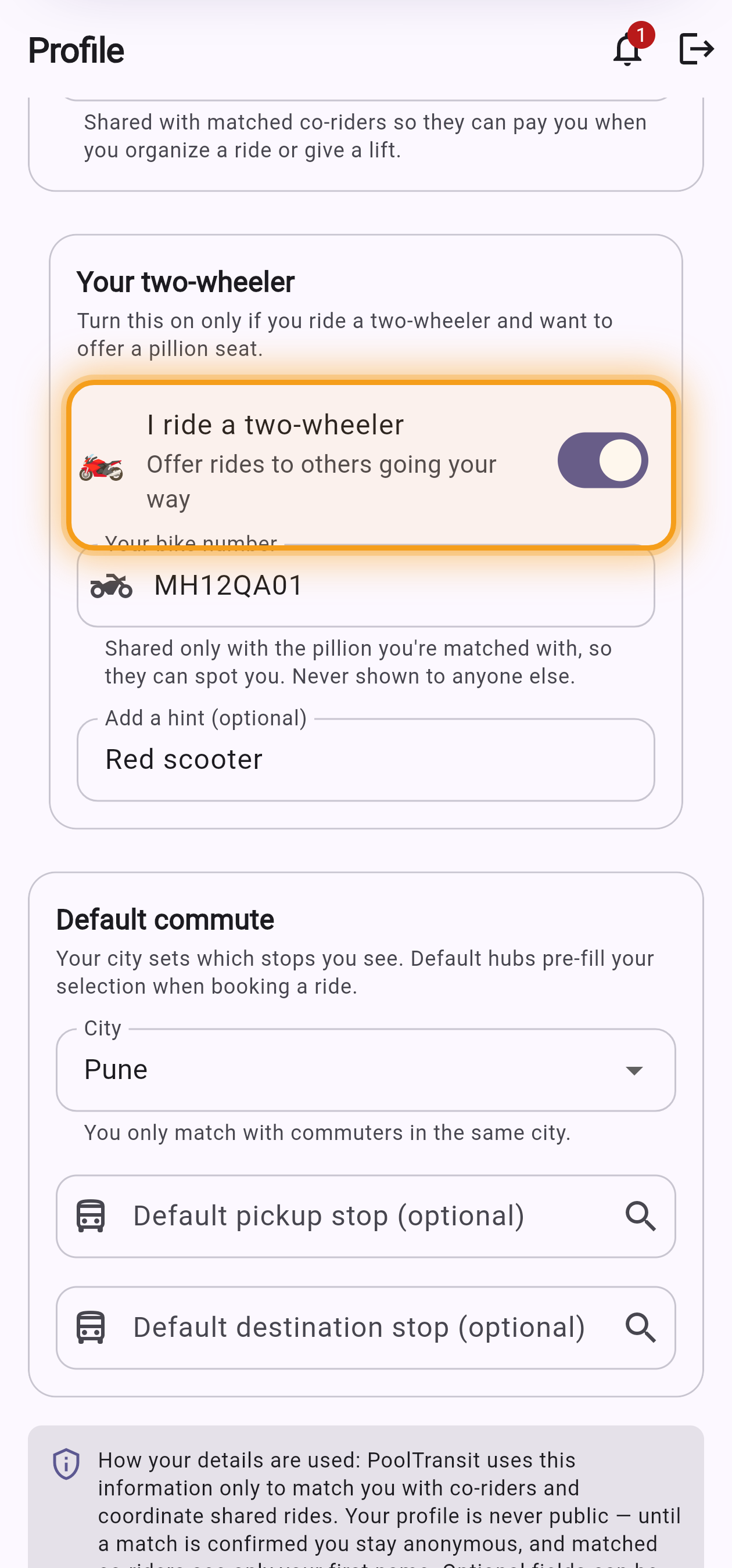
First, turn on your bike in Profile
Open Profile and switch on "I ride a two-wheeler", then add your number plate (shared only with the pillion you're matched with — never shown to anyone else). You only do this once; after that, Go Now automatically offers a pillion seat every time.
-
1
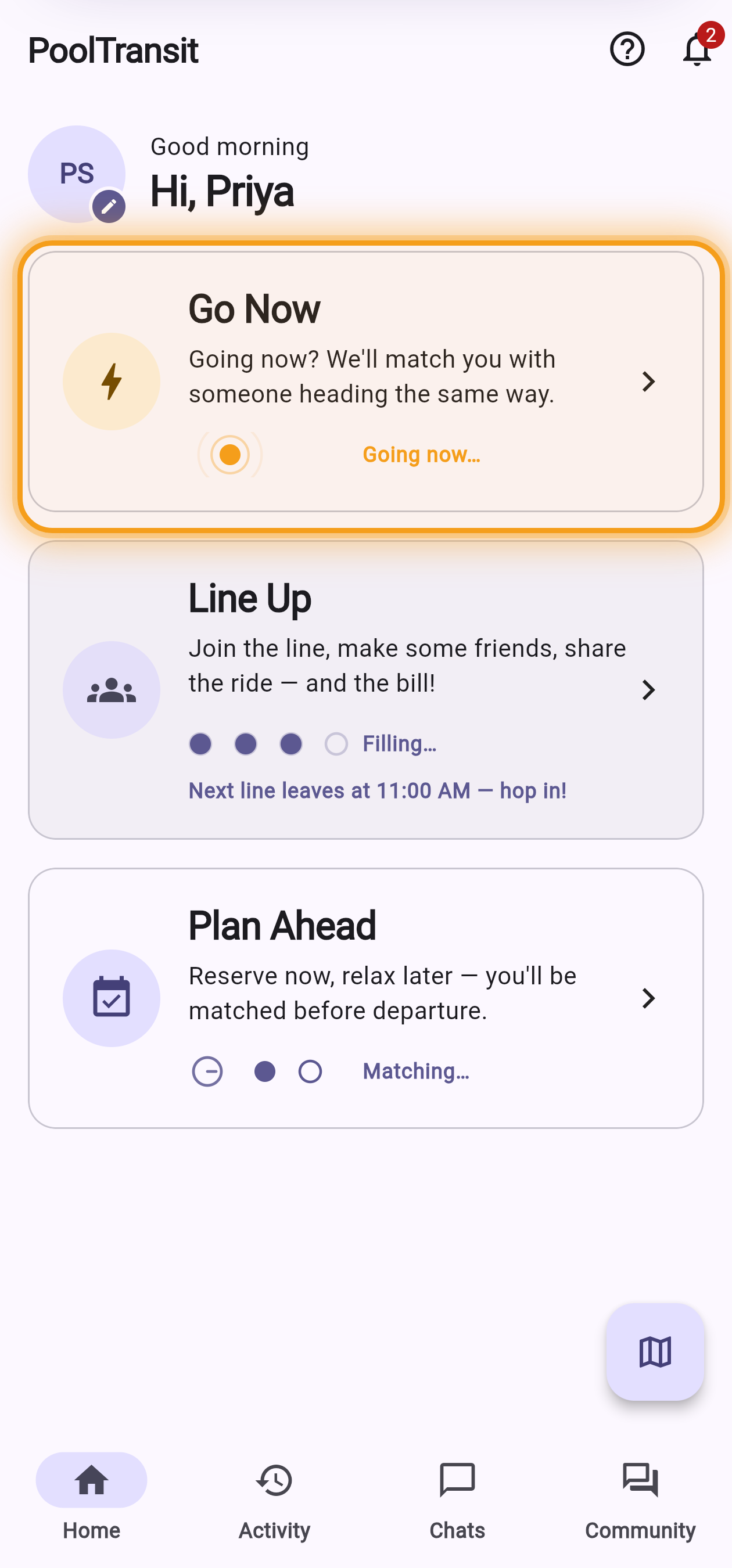
Open Go Now
From your Home screen, tap the Go Now card — the one with the lightning bolt.
Home → the Go Now card -
2
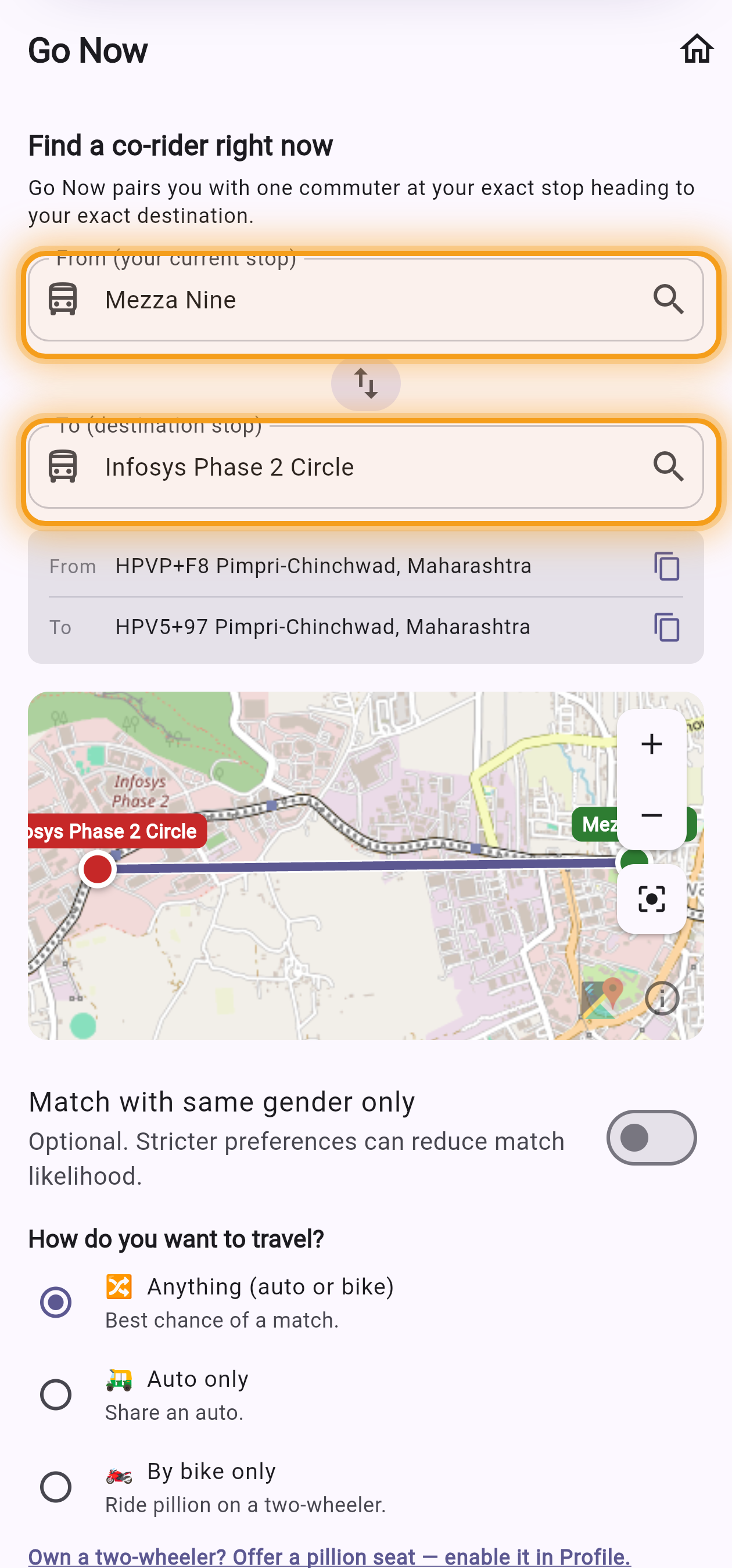
Set your stops & how you'll travel
Pick where you are and where you're going, choose how you want to travel, set how long you're happy to wait, then tap Go Now.
Pick your two stops 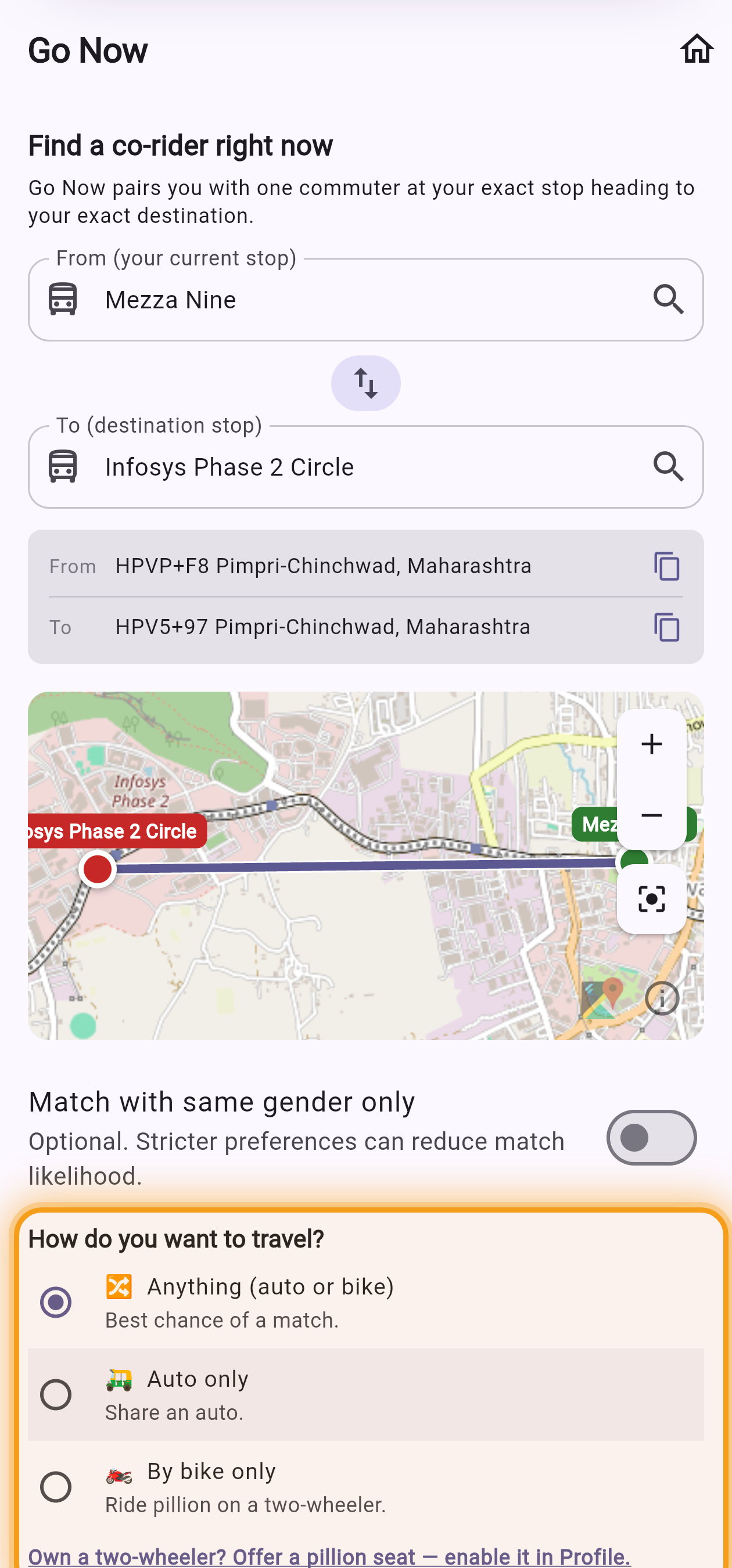
Choose how you'll travel 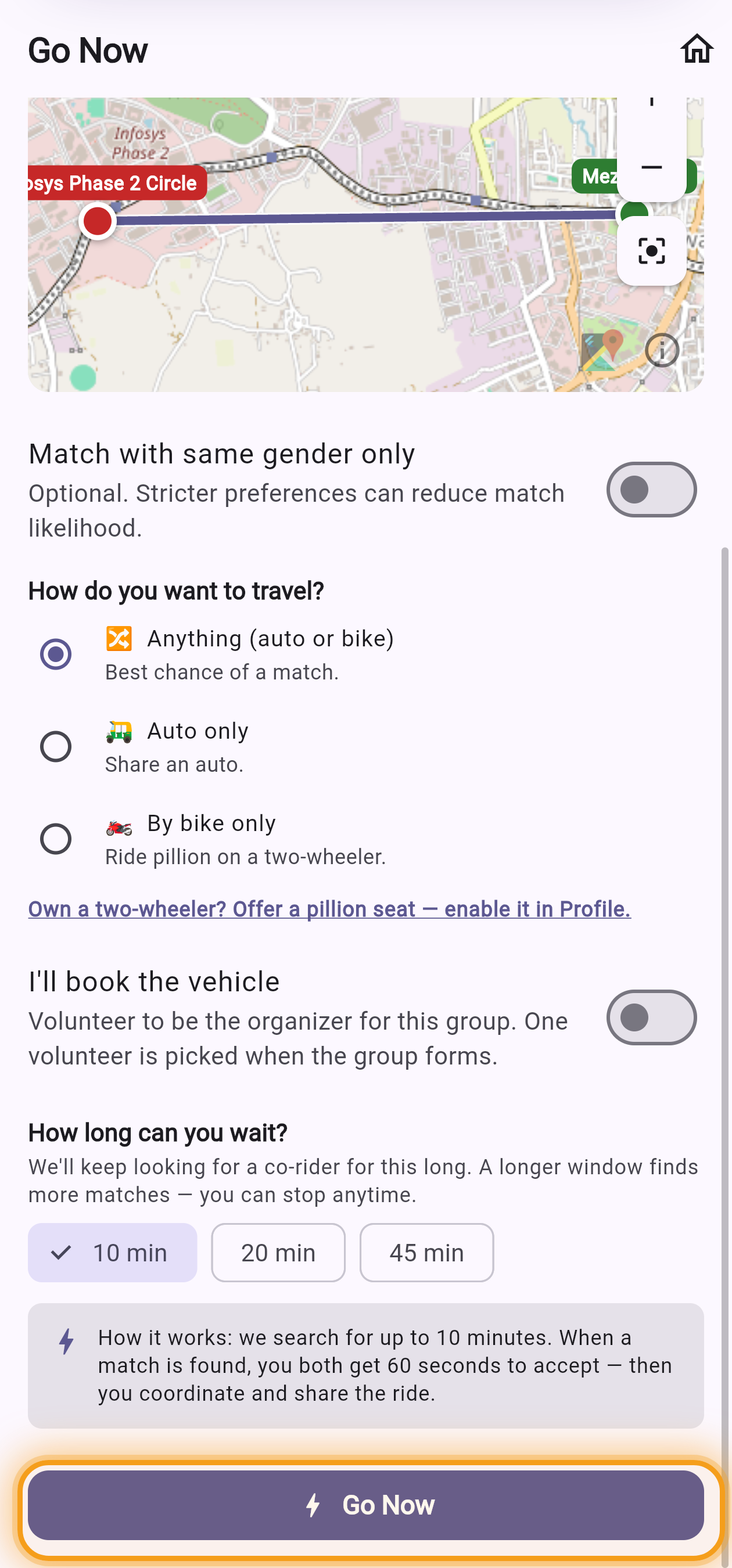
Then tap Go Now What each travel option means
- 🔀Anything — the fastest match. We pair you with anyone going your way, by auto or bike.
- 🛺Auto only — you'll share an auto with another commuter heading the same way.
- 🏍️By bike only — you'll ride pillion on another member's two-wheeler.
-
2
Set your stops — you'll offer a seat
Because you ride a two-wheeler, Go Now already knows you're offering a pillion seat, and your number plate is filled in for you. Just pick your two stops and tap Go Now.
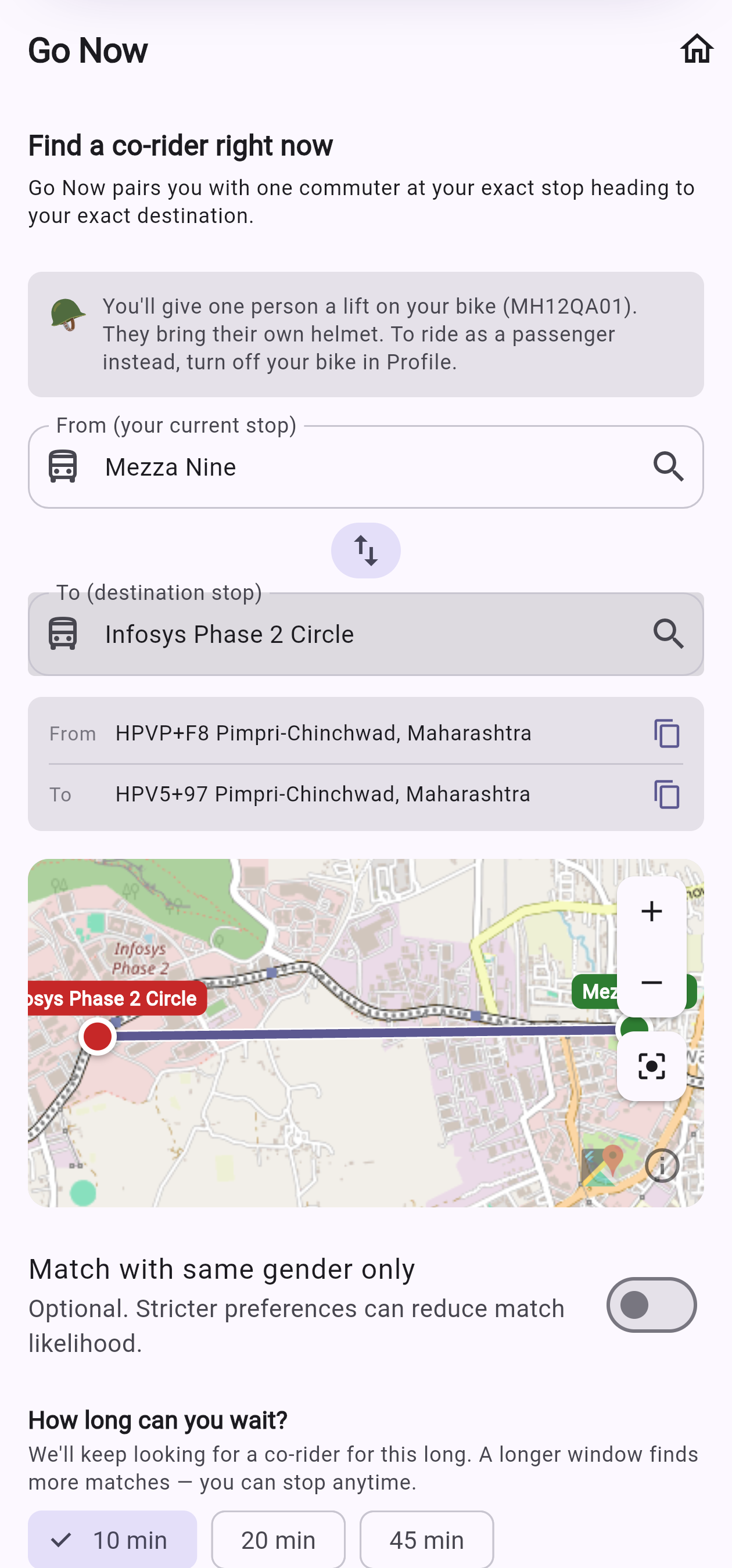
You're offering a lift 🪖 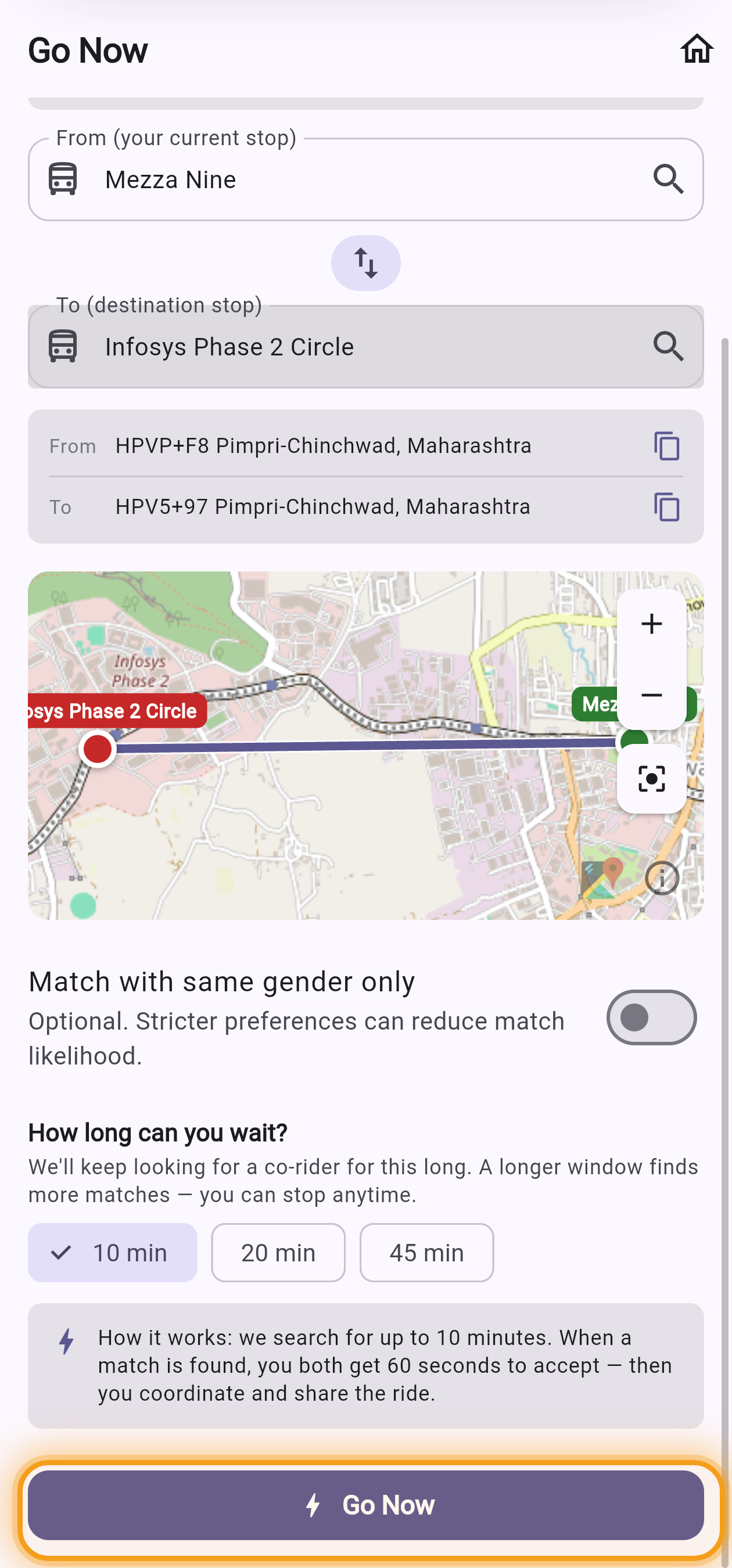
Then tap Go Now -
3
We look for a co-rider
PoolTransit searches for someone at the same stop going to the same place. Sit tight — you can cancel any time.
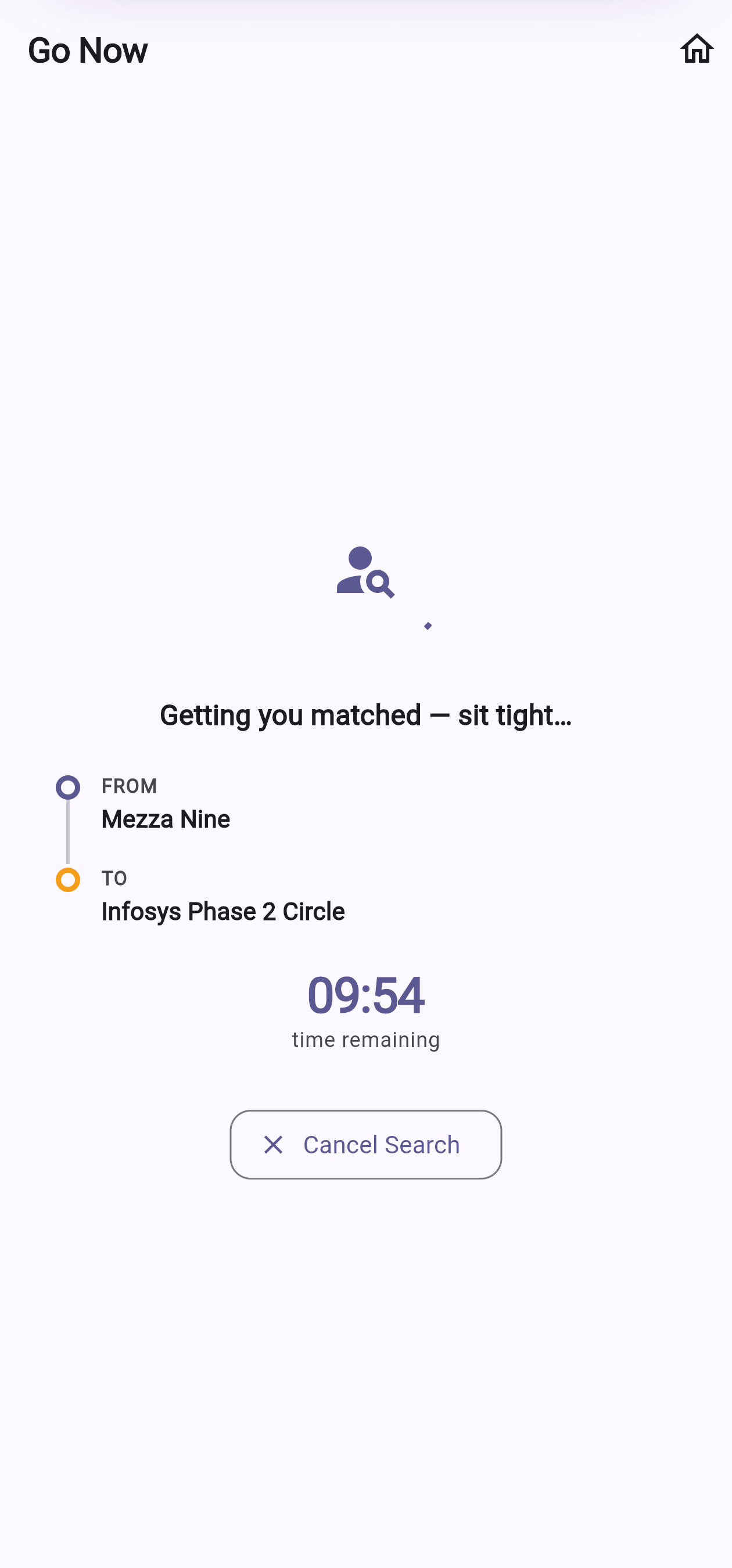
Searching for a match -
4
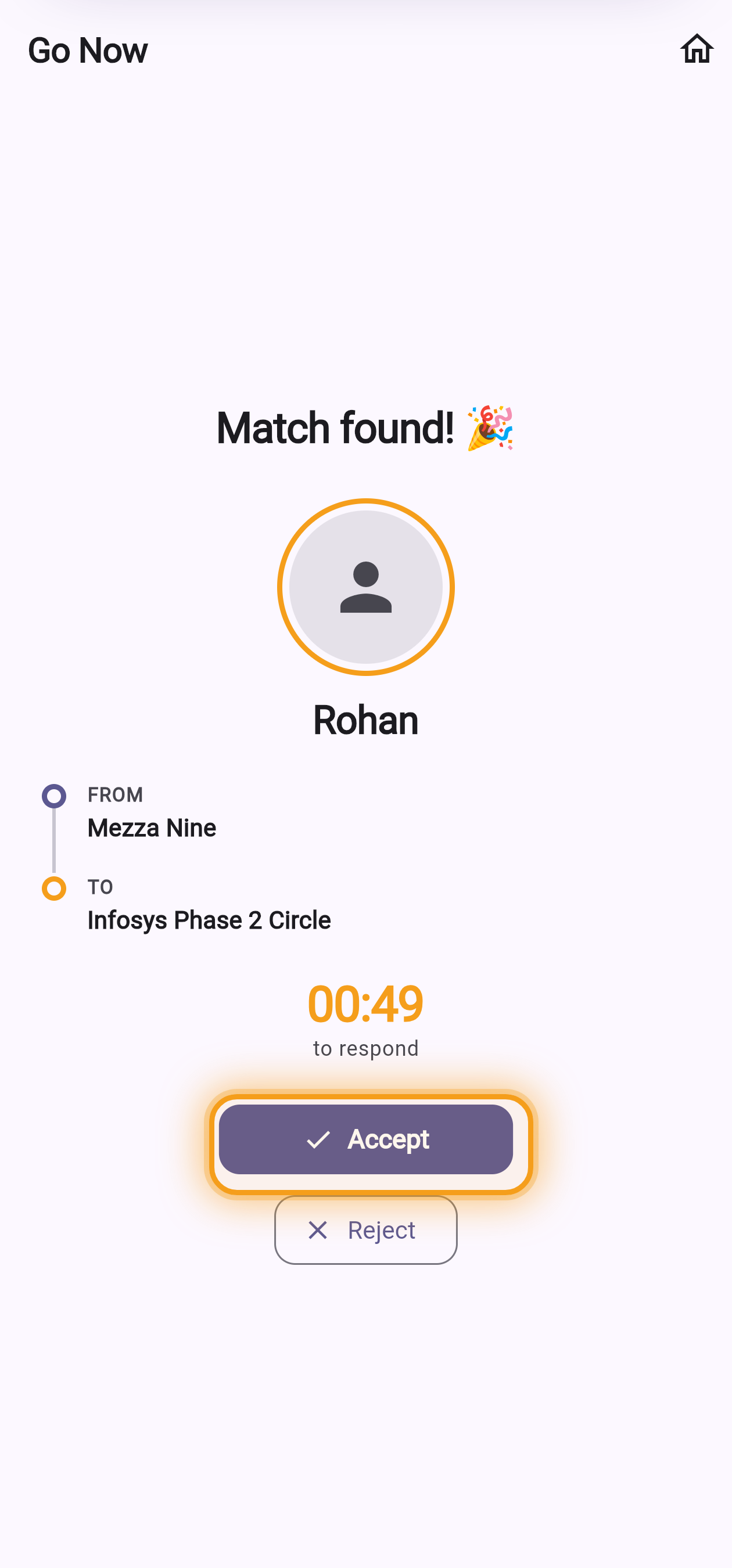
Both of you accept
When there's a match, you each get 60 seconds to accept. Here's what you see and what your co-rider sees at the same moment — tap Accept and you're set.
Your screen 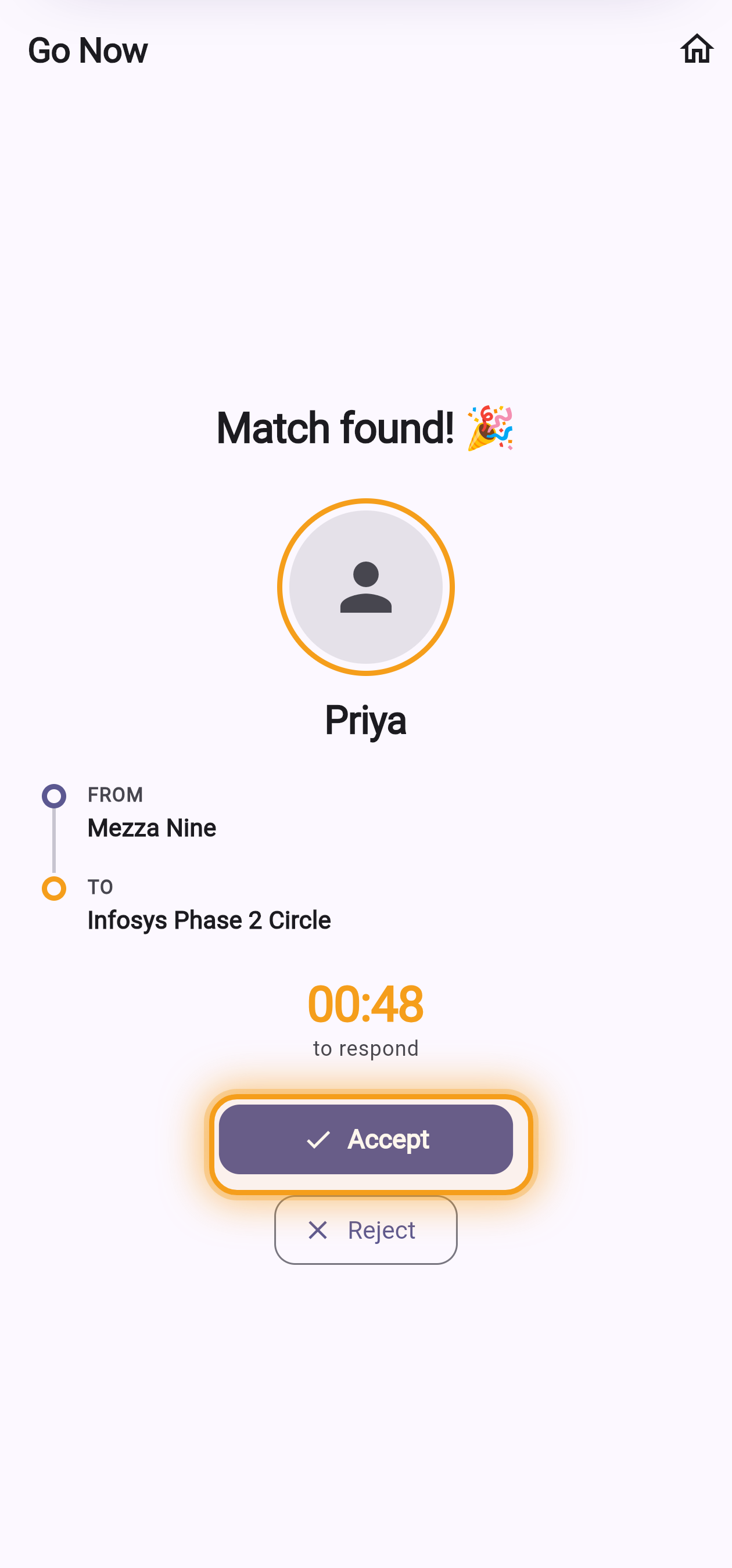
Your co-rider's screen -
4
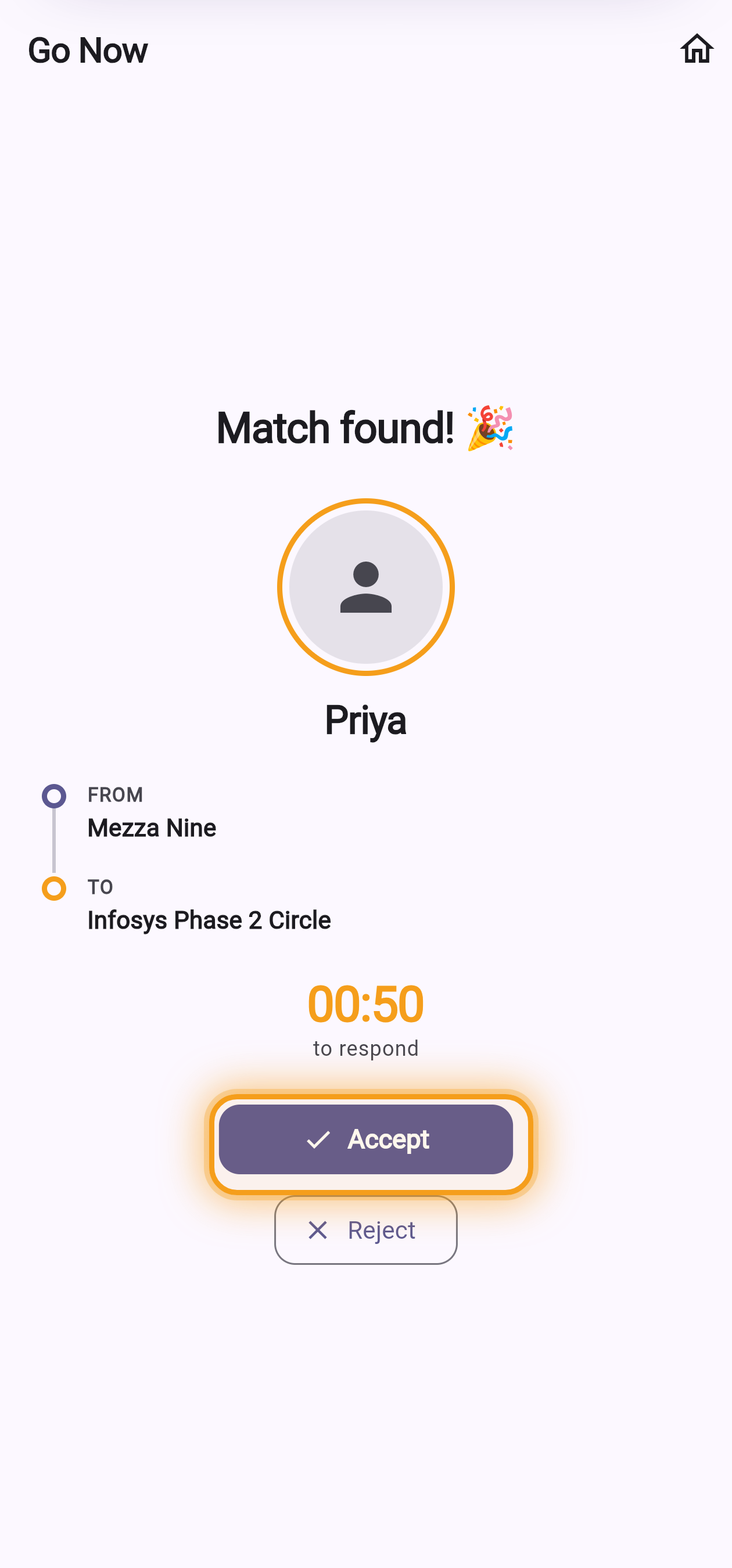
Accept your passenger
When a passenger heading your way is found, you each get 60 seconds to accept. Tap Accept and you're set.
Your phone — matched with a passenger -
5
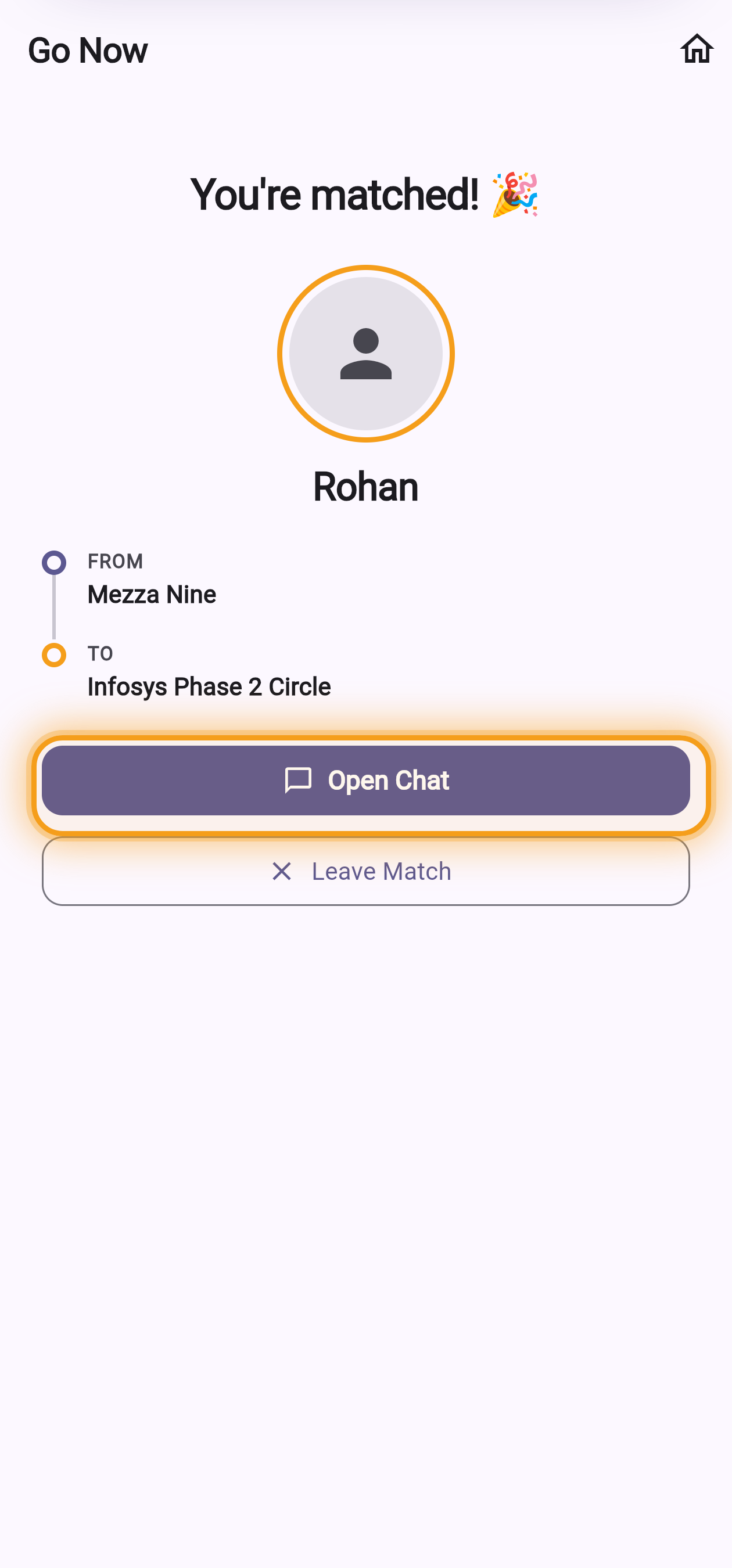
Say hi & share the ride
A private chat opens automatically. Agree a meeting point, hop in the auto together, and settle up over UPI afterwards — split equally. PoolTransit never holds your money.
Your screen — you're matched! 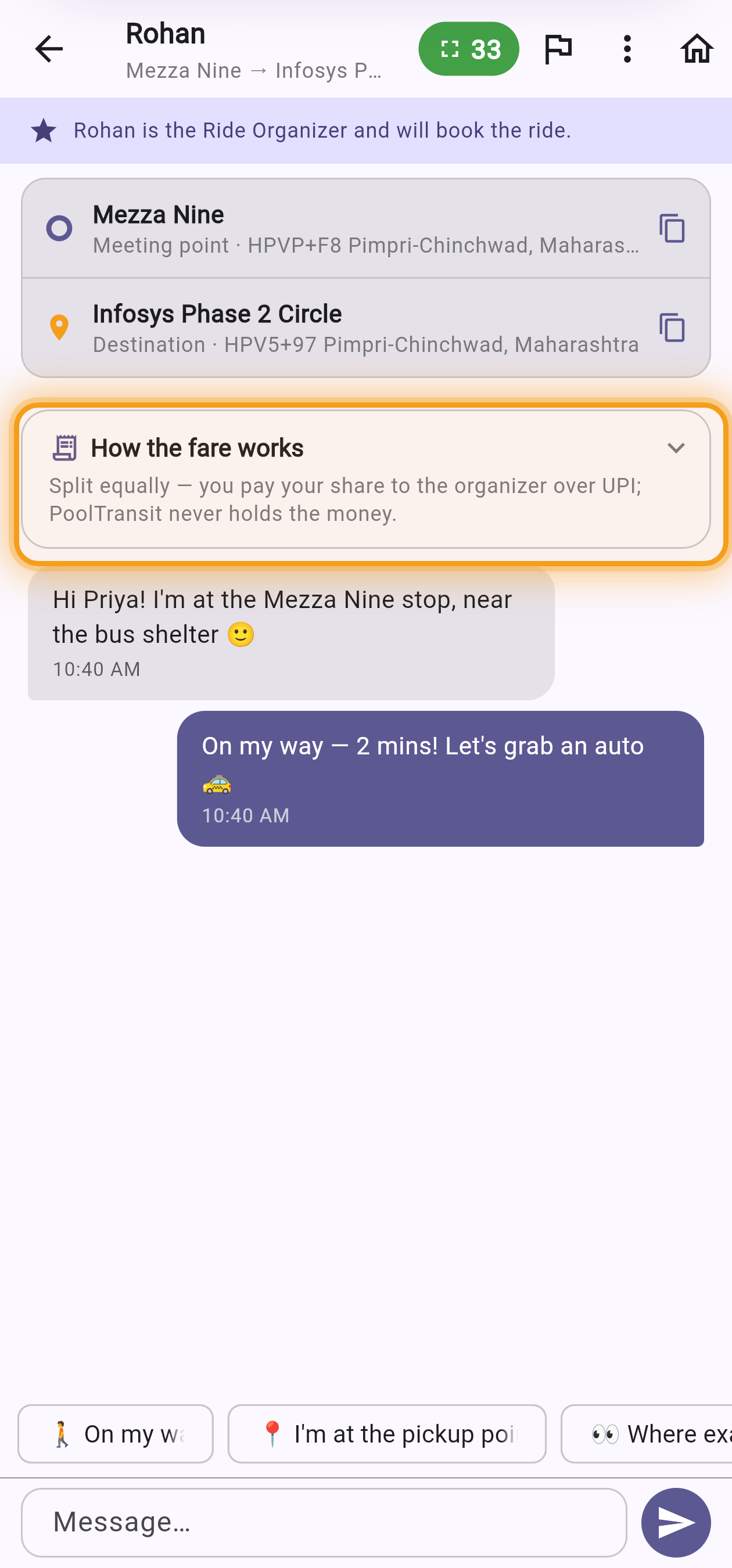
Then your chat — coordinate & go -
5
Meet up & give them a lift
Once you're matched, open the chat to coordinate your meeting point. Your pillion is shown your number plate so they can spot you. Wearing a helmet is everyone's own responsibility, and they can chip in for your petrol — it comes straight to you over UPI; PoolTransit never touches it.
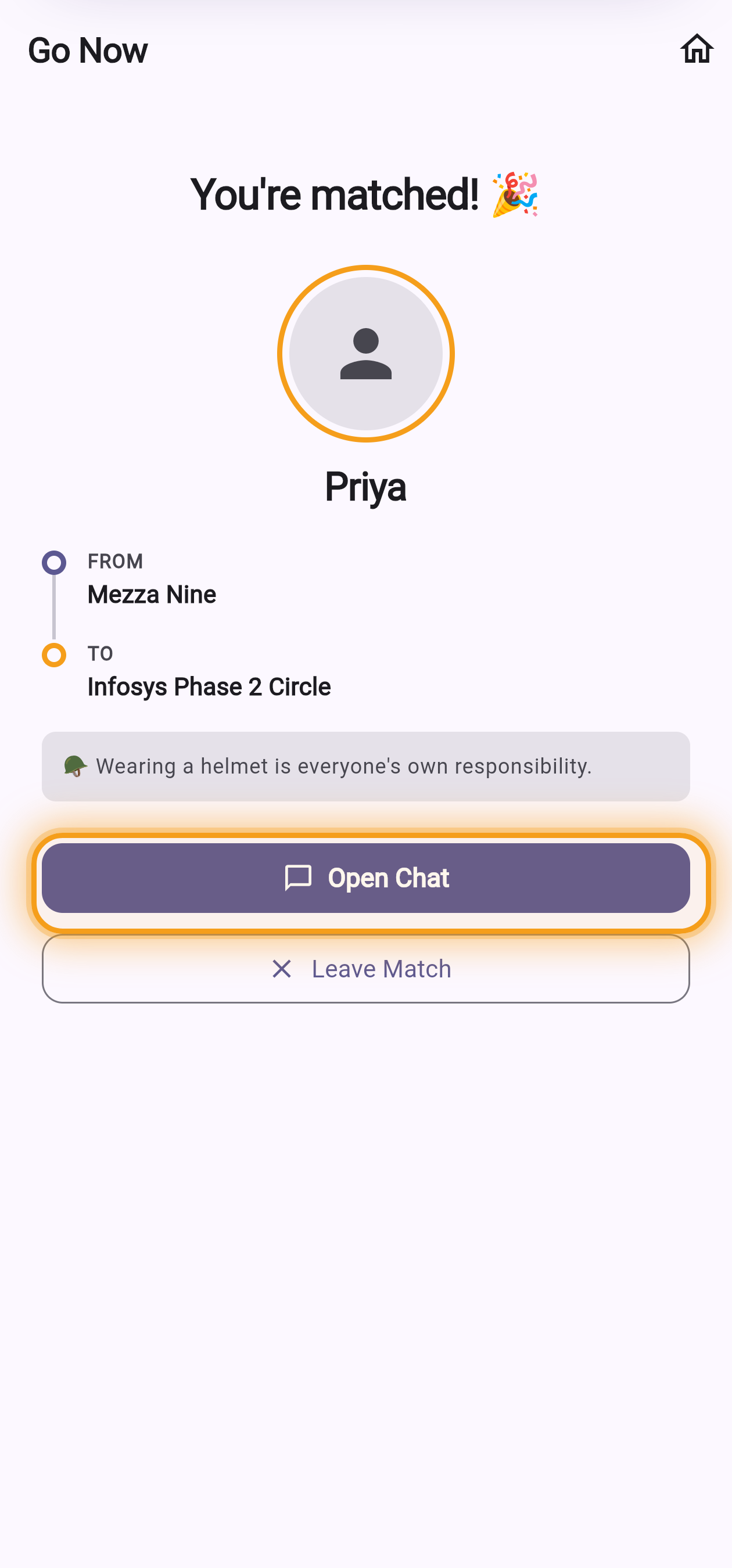
Your screen — you're matched! 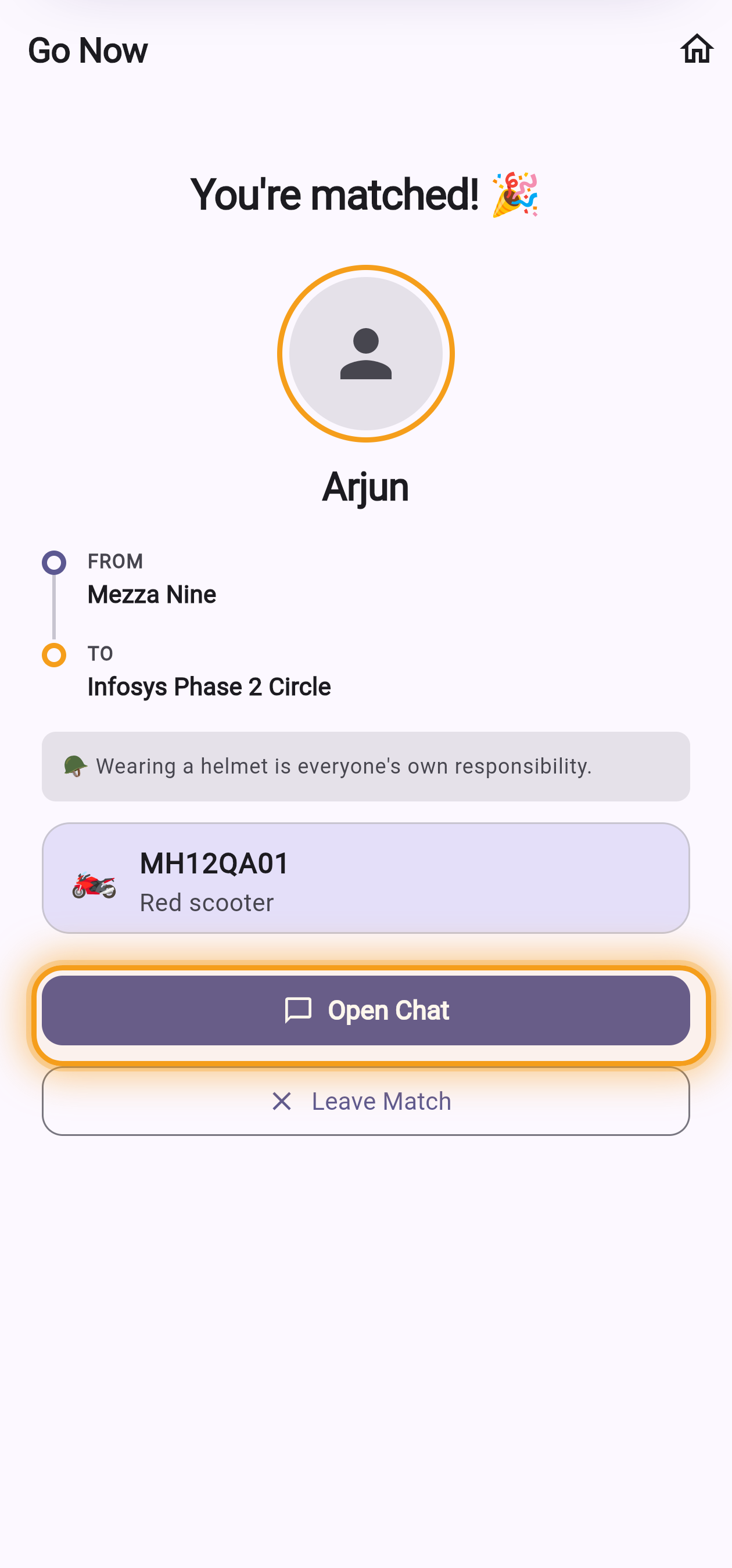
What your pillion sees — your plate
If you pick "By bike only", here's what's different
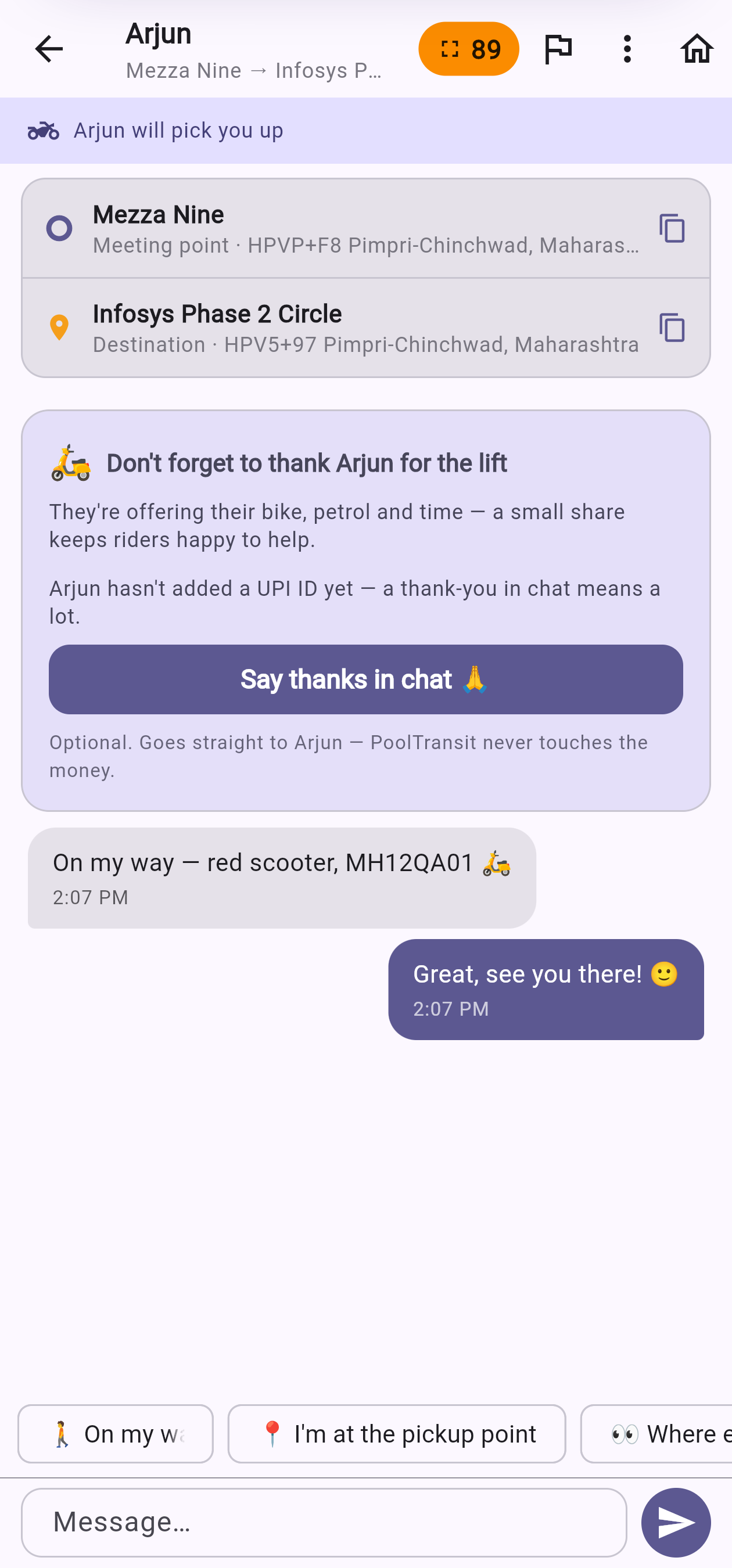
You'll be matched with someone offering a pillion seat. There's no fare split — instead you'll see their bike number plate (so you can spot them), a helmet reminder, and a fuel chip-in. Your rider is spending their own petrol and effort to carry you, so please send a little their way over UPI — it goes straight to them; PoolTransit never holds the money.
Good to know
- Exact match, on purpose. Go Now only pairs riders at the same pickup and the same destination — so you're never walking out of your way.
- No one's trapped. Cancel a search any time for free. You're only ever matched once you both tap Accept.
- One organiser books the auto. They pay the driver; everyone sends their equal share back over UPI.
Good to know
- Exact match, on purpose. Go Now only pairs you with a passenger at your exact pickup and destination — so no one goes out of their way.
- No one's trapped. Cancel a search any time for free. You're only ever matched once you both tap Accept.
- You're the ride. Your passenger can chip in for your petrol — it comes straight to you over UPI. PoolTransit never holds money, and helmets are each rider's own responsibility.
Line Up, step by step
Line Up is a digital cab stand. Join the line that leaves next for your exact route — when four people heading the same way line up, the group forms and you share one cab and split the fare four ways.
-
1
Open Line Up
From your Home screen, tap the Line Up card — the one with the group of people. It shows when the next line leaves.
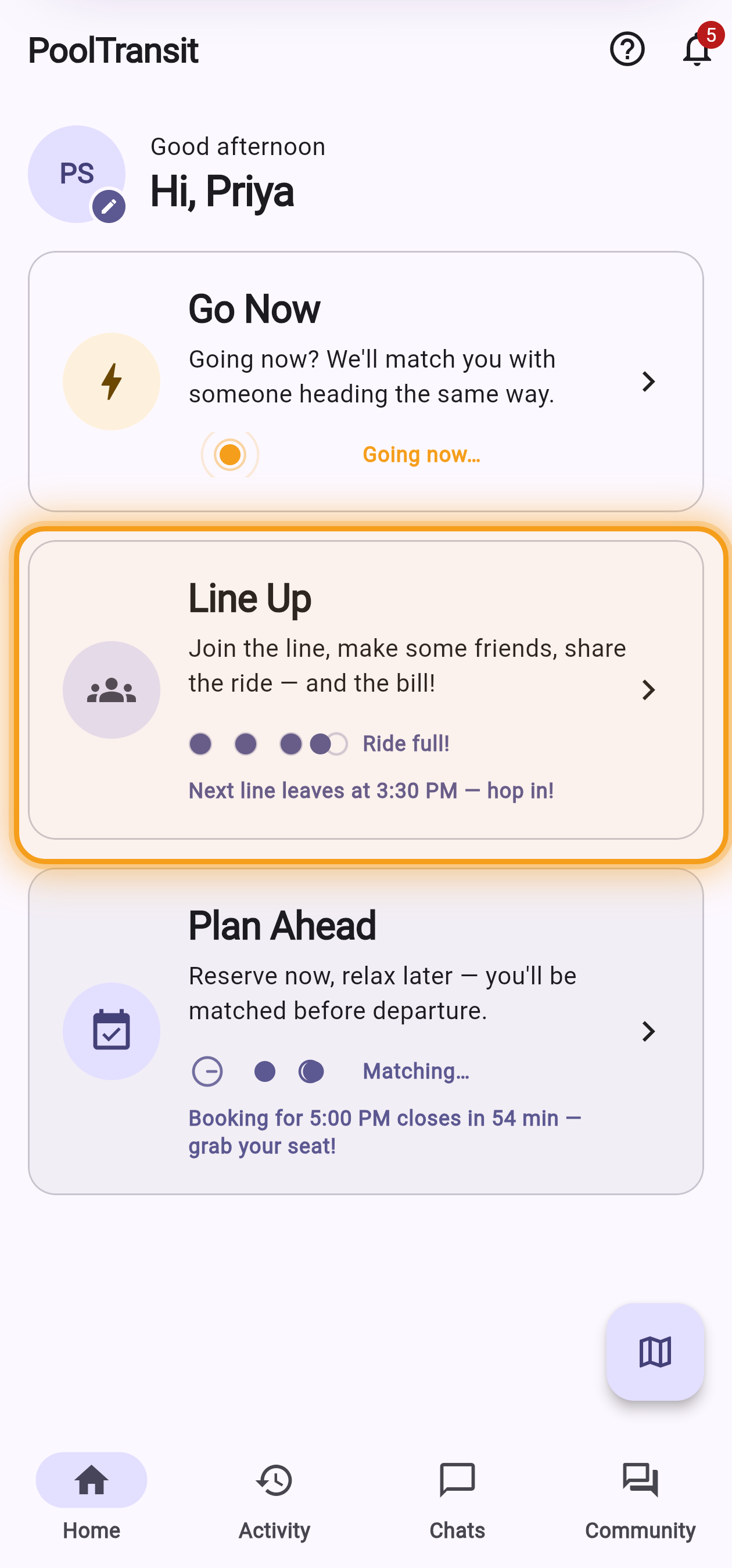
Home → the Line Up card -
2
Pick your stops & join the next line
Choose where you are and where you're going. A new line leaves every half hour — the banner shows the next one. If you're happy to book the cab for the group, flip on "I'll book the cab" (you'll get the front seat). Then tap Line Up.
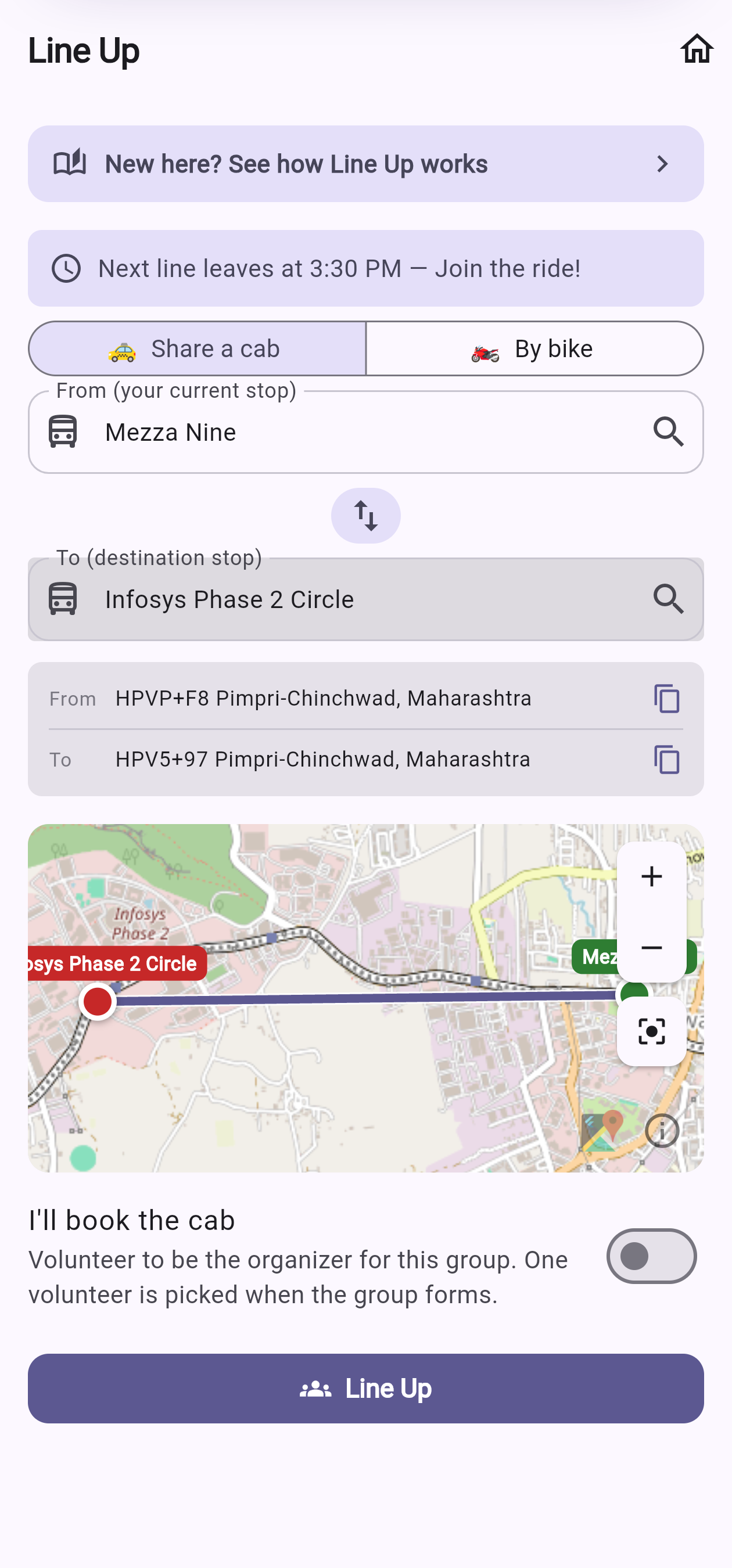
Pick stops & the next line 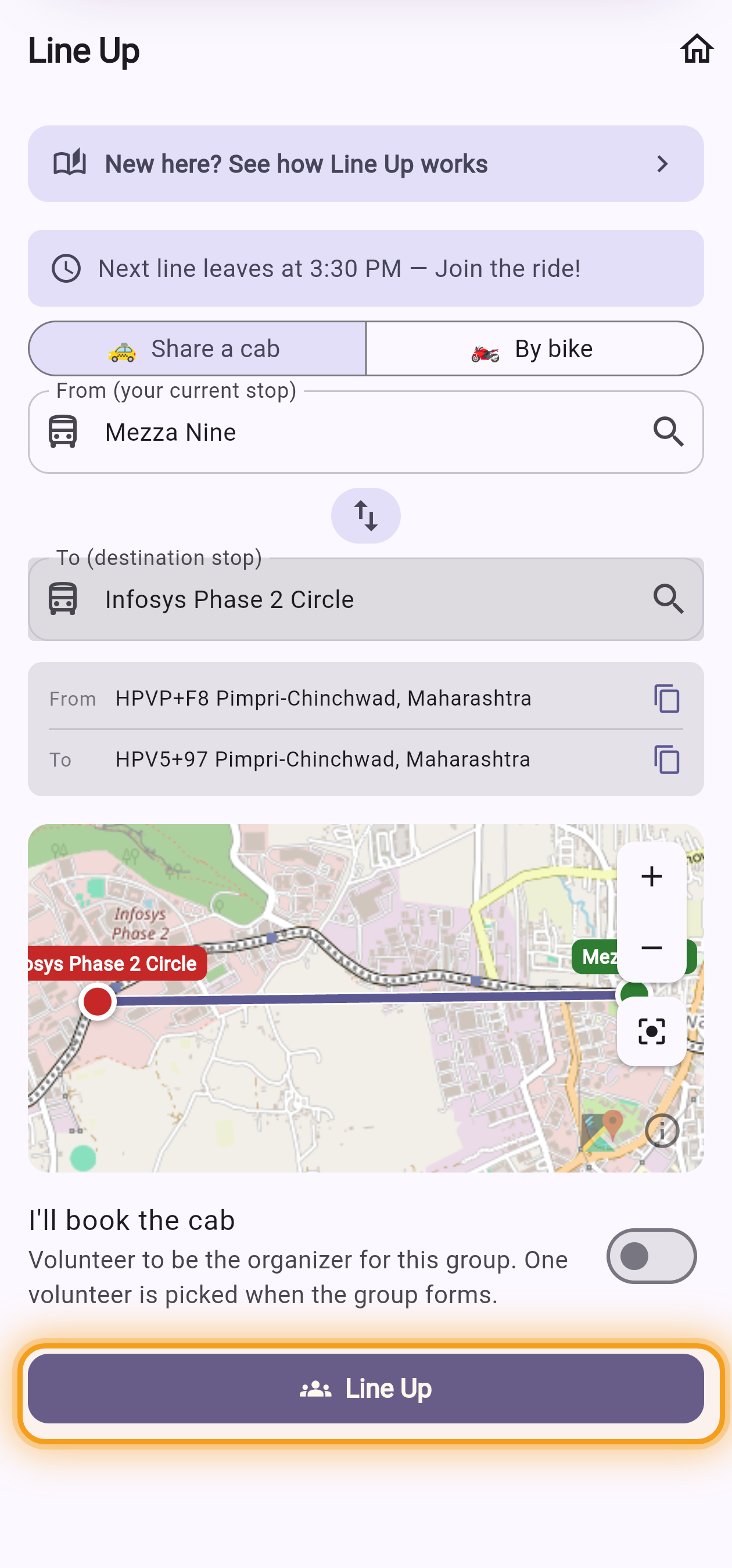
Then tap Line Up -
3
Watch the line fill
You'll see how many have lined up so far — "3 of 4", and so on. There's nothing to do but wait; we'll tap you the moment it fills. You can leave freely until the group forms.
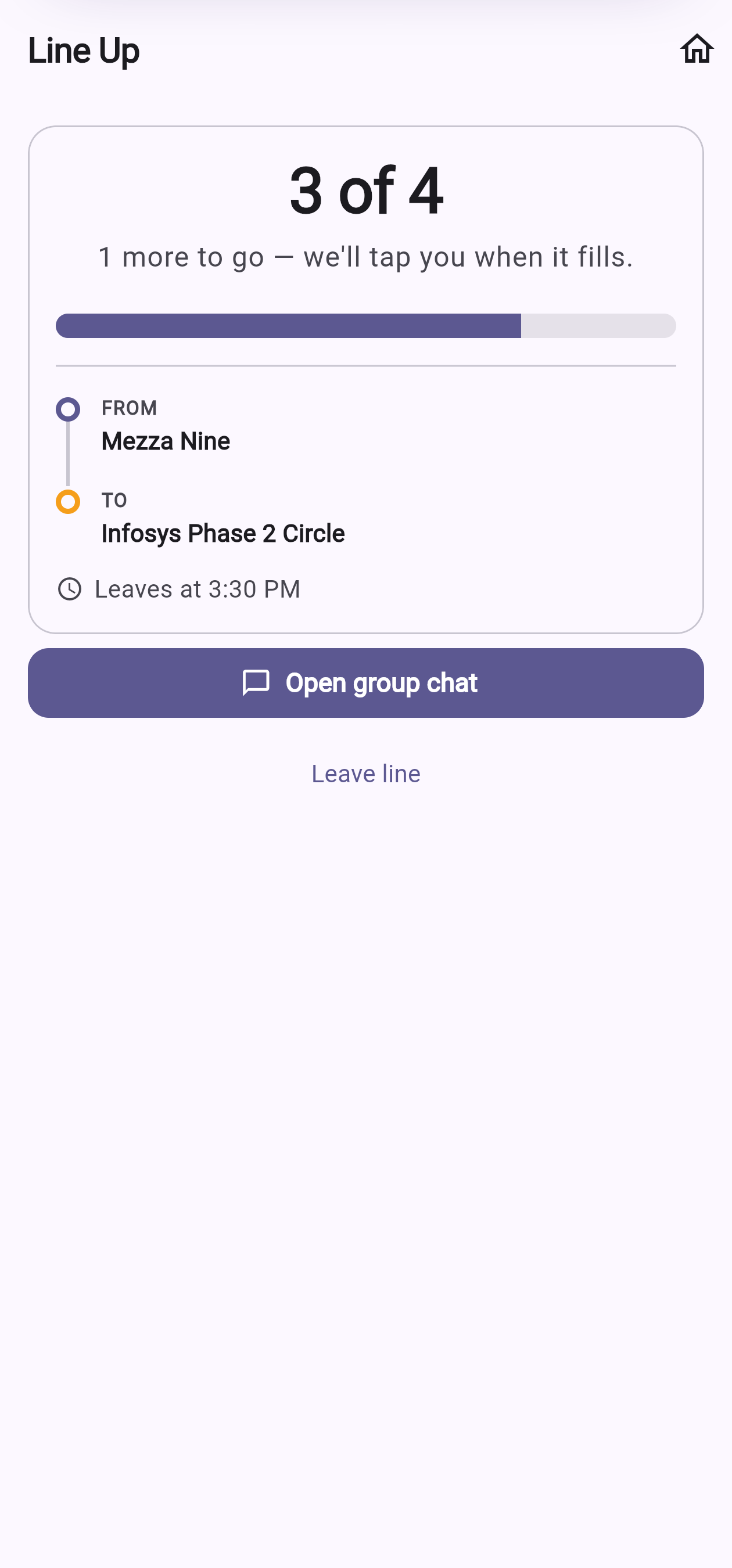
Your screen — the line filling up -
4
Your group forms
When the fourth person lines up, your group is set. One person is the organiser — they book the cab and take the front seat as a small thanks. A group chat opens for everyone.
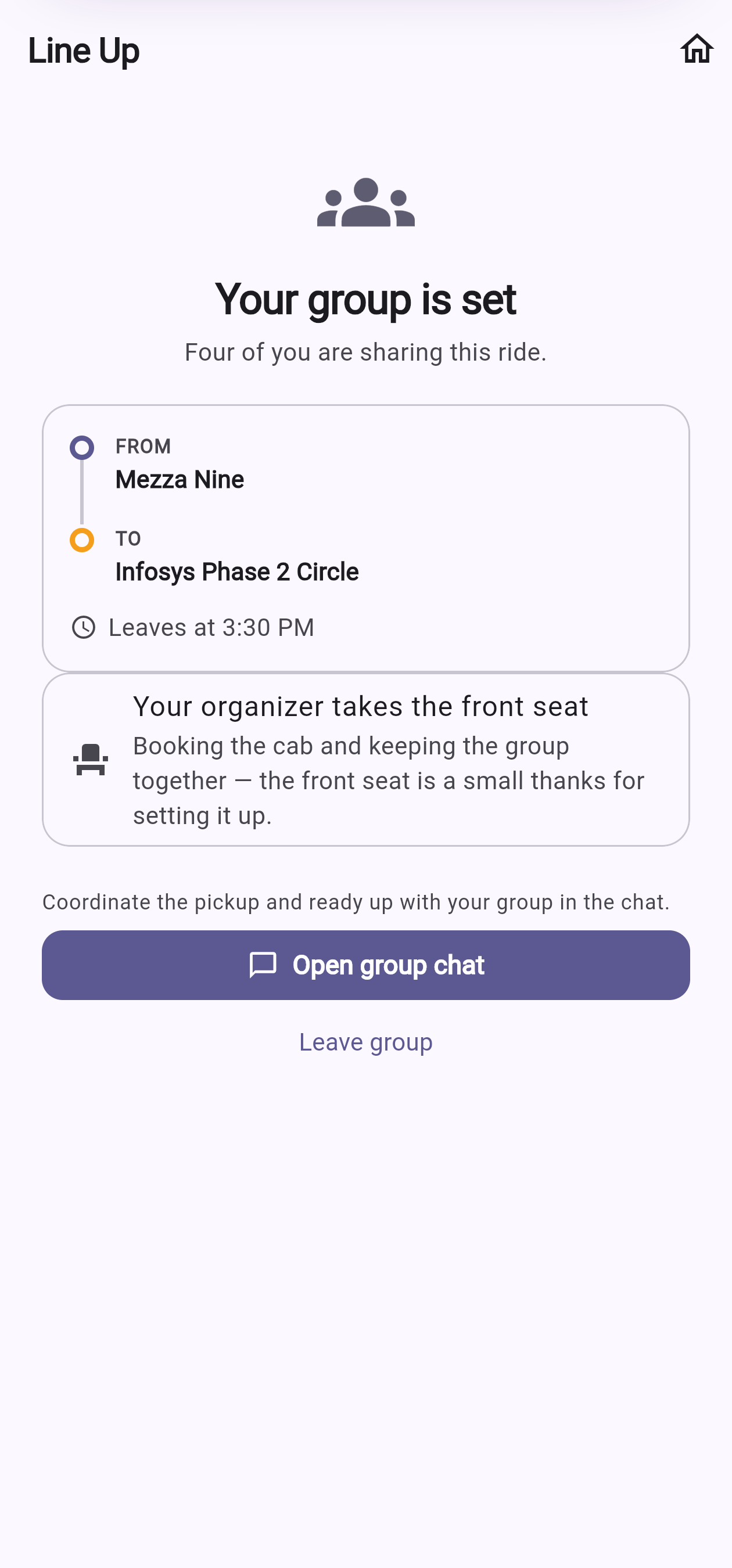
Your screen — your group is set! -
5
Chat, meet & split the fare
Say hi in the group chat, agree a meeting point, and hop in together. Tap "I'm ready" so everyone knows you're set to go. Afterwards the organiser logs the fare and it splits equally over UPI — PoolTransit never holds your money.
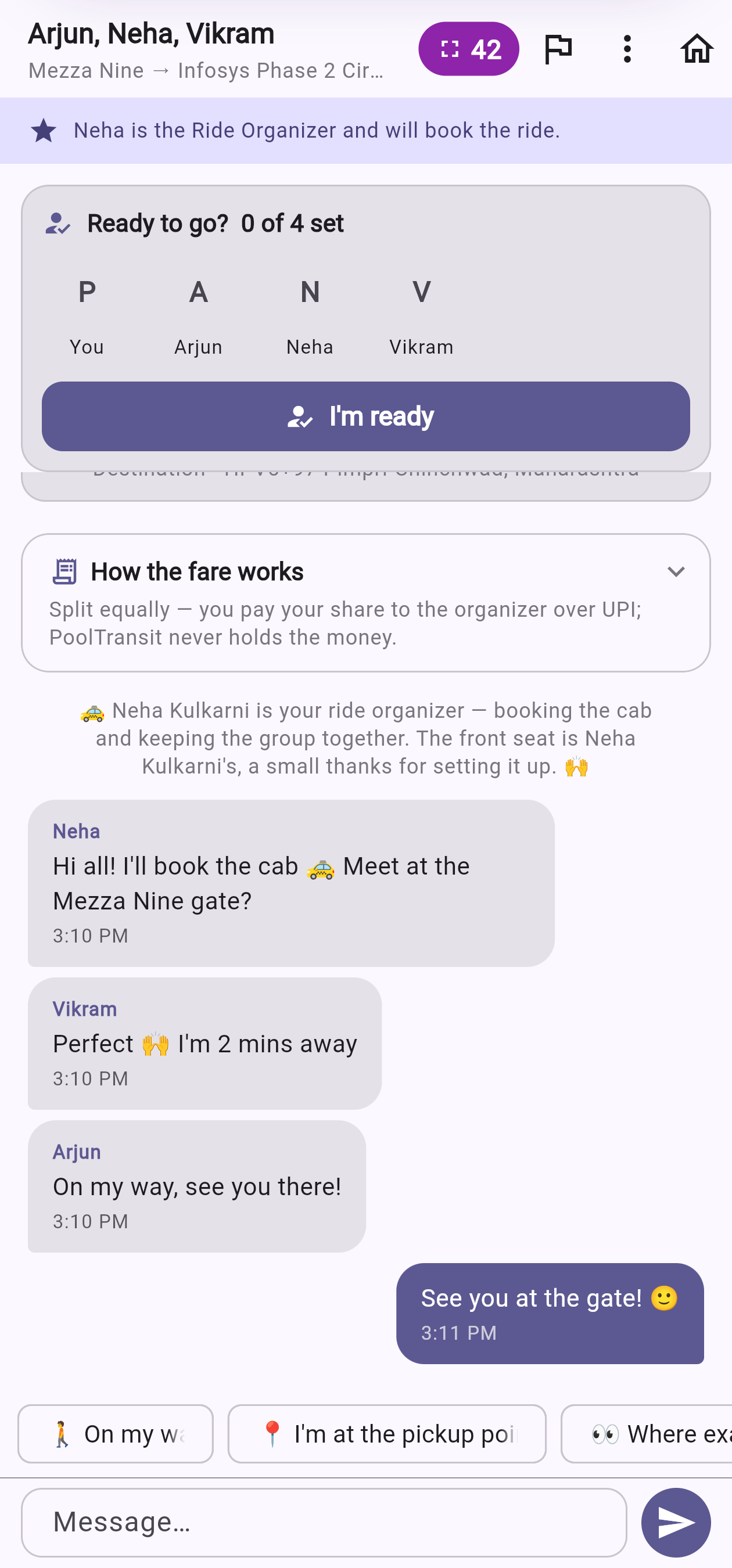
Your group chat — coordinate & ready up
Good to know
- Exact match, on purpose. Everyone in your group starts at the same stop and ends at the same destination — so the shared cab is genuinely on everyone's way.
- Free to leave before it forms. Change your mind while the line is still filling and you can step out with no penalty.
- One organiser, one front seat. The organiser books the cab and everyone sends their equal share back over UPI. The front seat is their small reward.
Prefer two wheels? Line Up has a bike lane. Instead of a four-person cab, we pair you one-to-one — a rider offering a pillion seat and one passenger — for the next half-hourly line. The steps below follow you as the passenger; if you're the one with the bike, skip to "Want to give the lift?" below.
⏱️ The big difference from Go Now
Go Now is "match and go right now". A Line Up bike ride is tied to the next 30-minute line — so the moment you're paired, you both already know when you're leaving ("leaving around 4:00 PM"). It's a shared, agreed departure time before you've even met — calmer, and easy to plan around.
-
1
Switch to the bike lane
On the Line Up form, tap 🏍️ By bike instead of Share a cab, pick your two stops, then tap Find a bike. (Carry your own helmet — that's always your responsibility.)
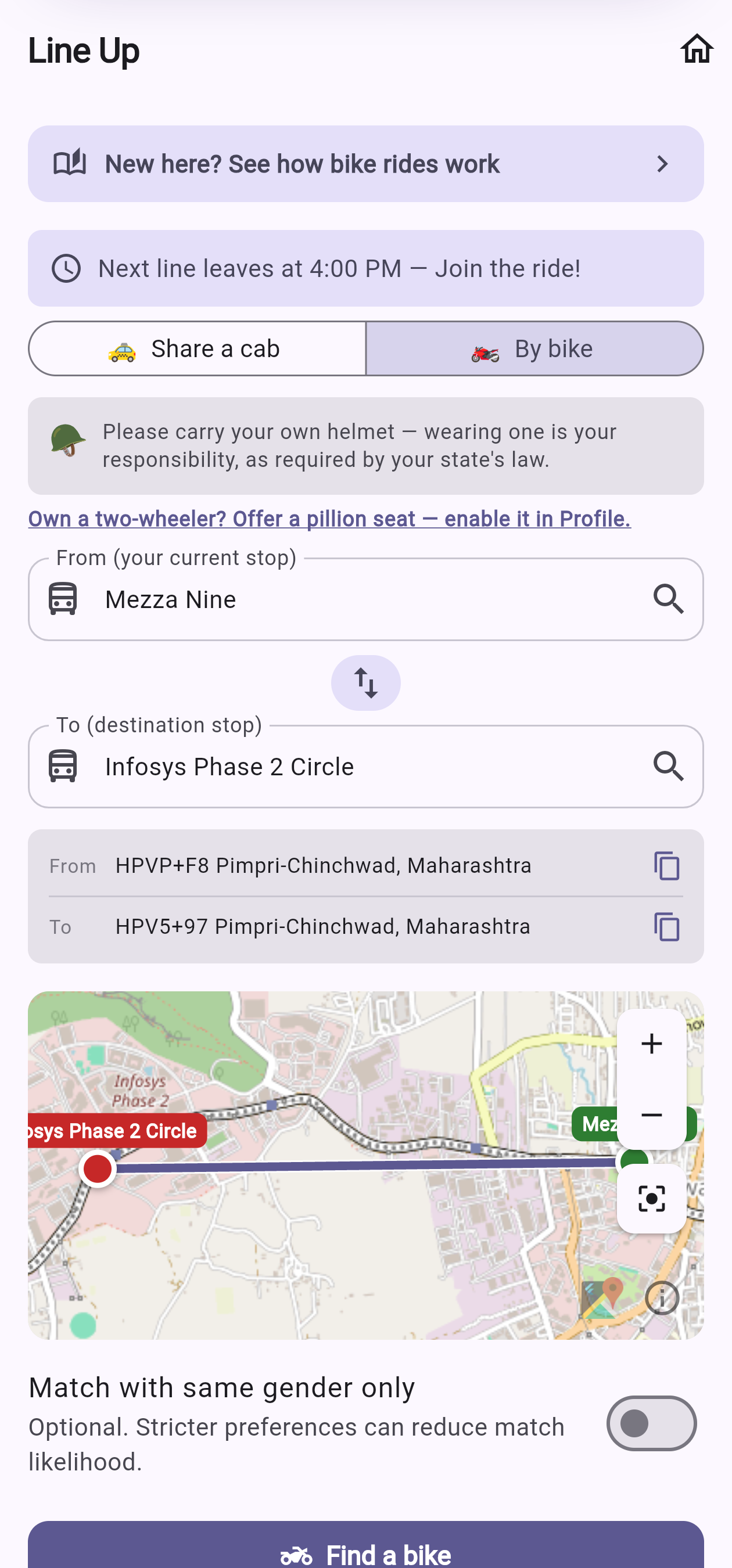
Tap "By bike", then Find a bike -
2
You're on the next line
No frantic countdown — you're placed on the next 30-minute departure, so you'll see "Leaving around 4:00 PM" straight away and already know your time. Close the app if you like; we'll tap you the moment a rider is found for that line.
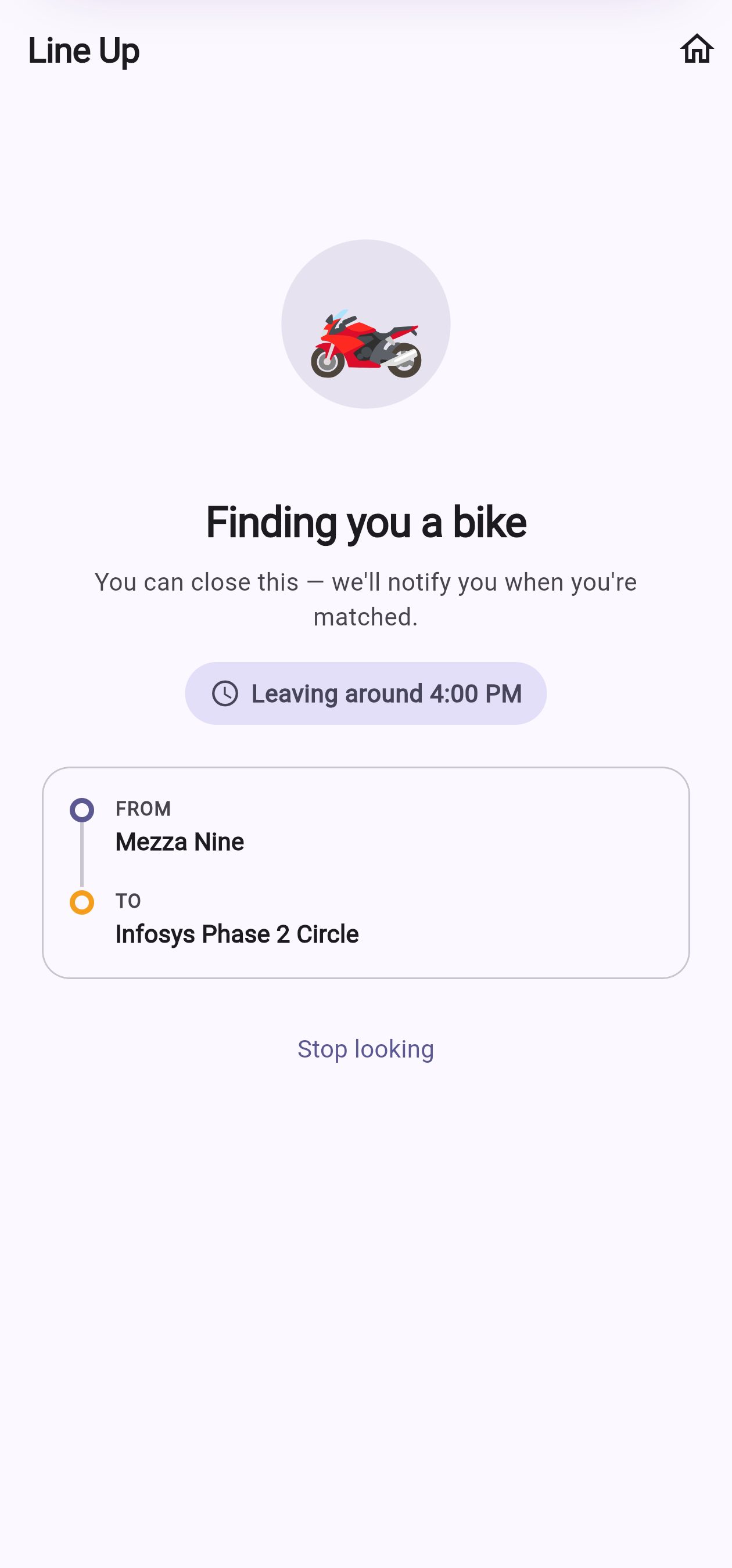
Your screen — your leave time is set -
3
Meet your rider & go
Once paired, your screen shows who's picking you up and their bike number to spot them; your rider's screen shows your name, so they know who they're carrying. Open the chat to coordinate. Your rider's spending their own petrol to carry you, so please chip in a little — it goes straight to them over UPI; PoolTransit never holds money.
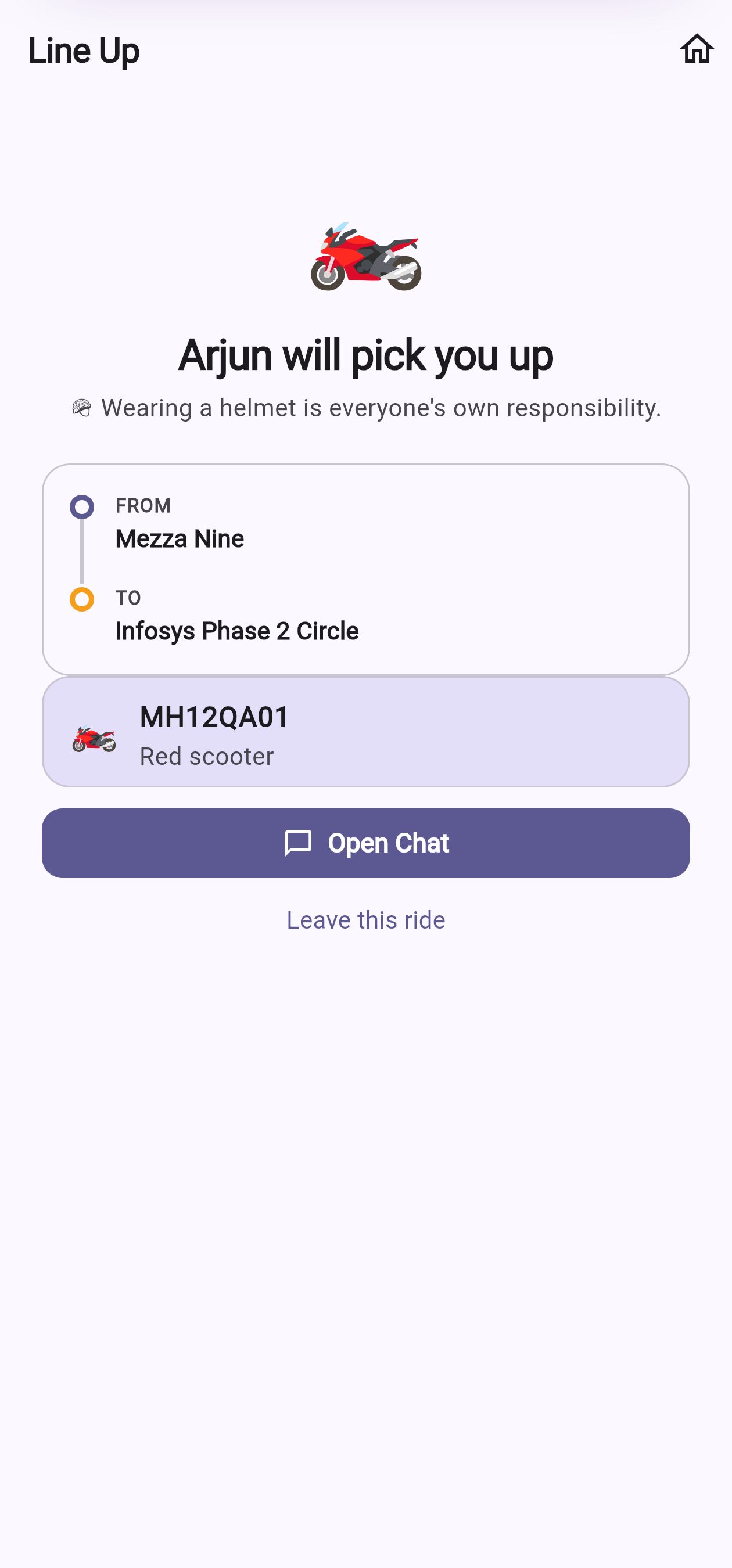
Your screen — your rider & their plate 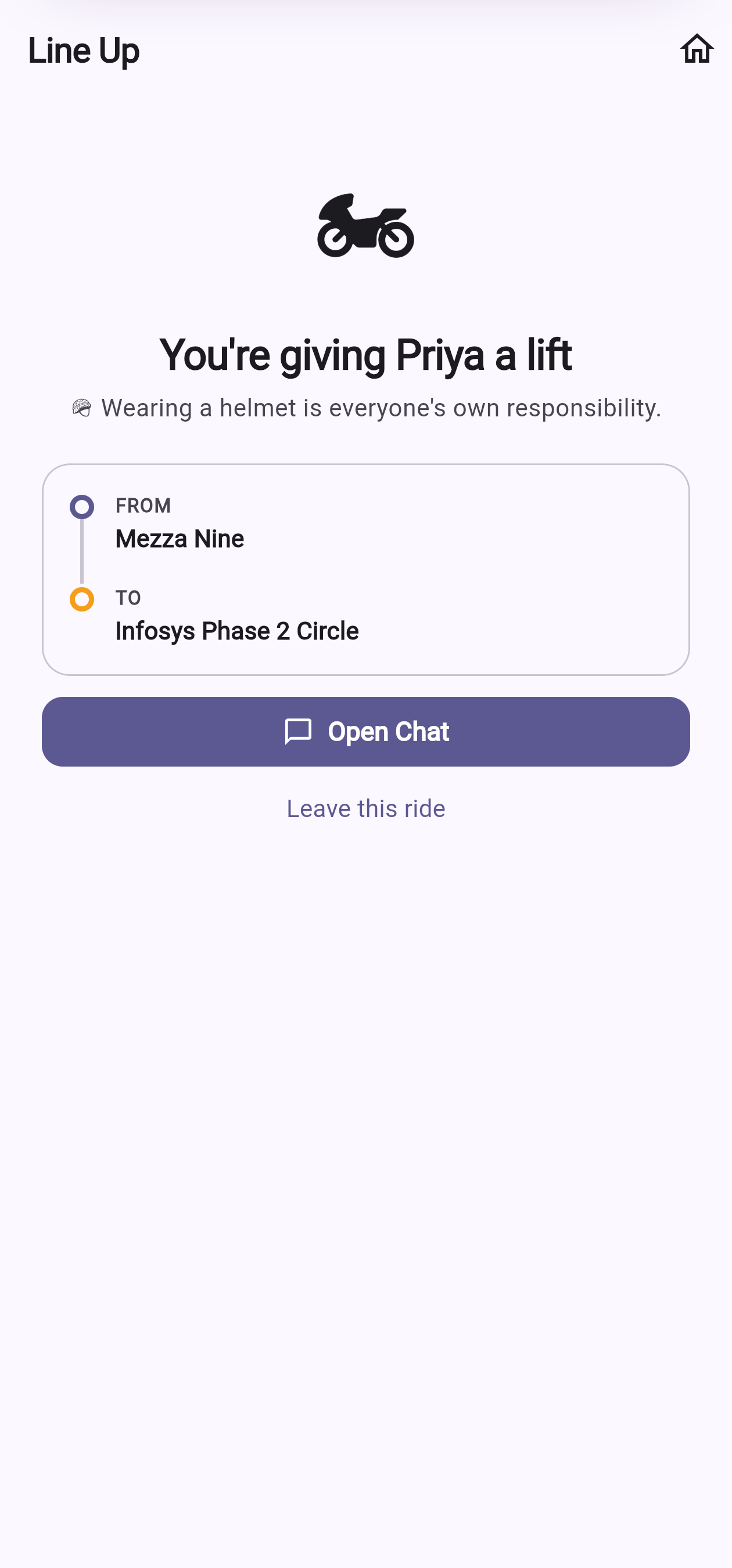
Your rider's screen — they've got you
Turn on your two-wheeler in Profile
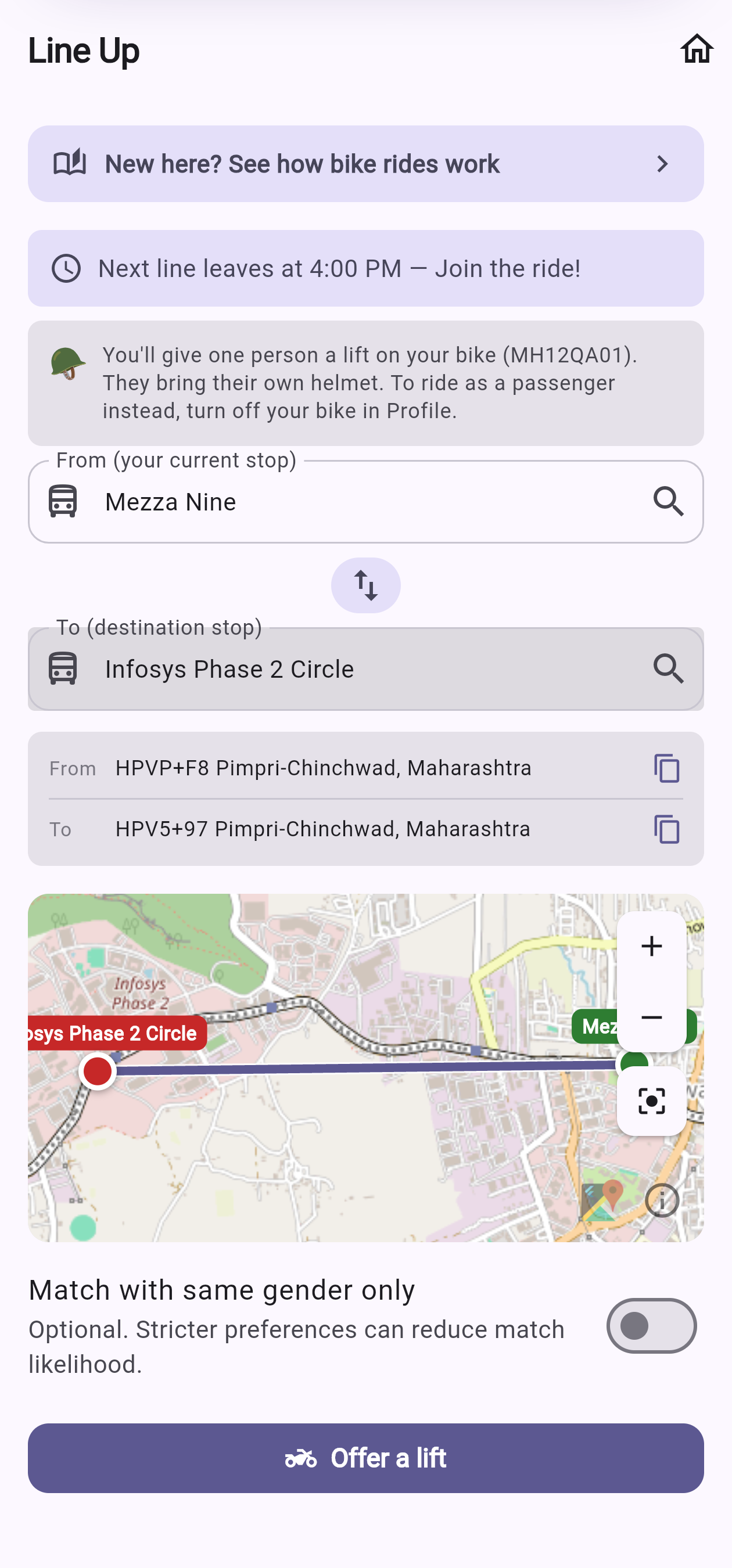
Open Profile, switch on "I ride a two-wheeler" and add your number plate (shown only to the passenger you're paired with). After that, your Line Up form becomes an "Offer a lift" form — no cab/bike toggle — and you're paired with one passenger for the next line.
Good to know
- Two people, one clear time. A bike pair is just you and your rider — booked onto the same 30-minute line, so you share one agreed departure.
- Helmets are your own responsibility. Please carry your own, as your state's law requires.
- No fare split — chip in for petrol instead. There's no four-way bill, but your rider carried you on their own fuel and effort, so please send a little their way over UPI. It goes straight to them.
Plan Ahead, step by step
Sort tomorrow's commute tonight. Book a departure time in advance, give a quick "yes" about an hour before, and we match you just before departure — so your shared ride is settled and stress-free.
The flow at a glance — three moments, evening to departure
-
1
Open Plan Ahead
From your Home screen, tap the Plan Ahead card — the one with the calendar. It shows the next booking window.
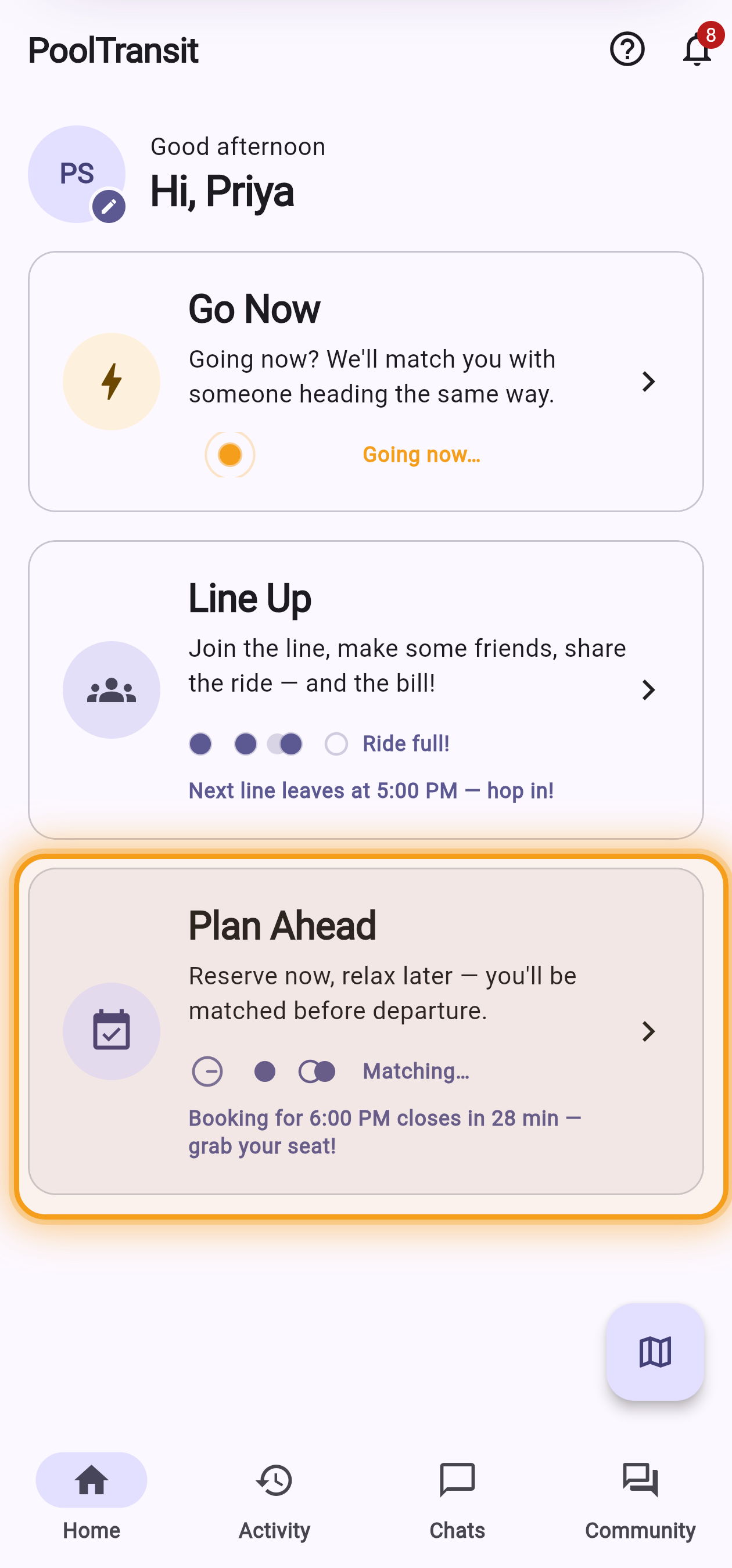
Home → the Plan Ahead card -
2
Set your stops & how you'll travel
Pick where you start and where you're going, then choose how you want to travel. Tap See Departure Pools to pick a time.
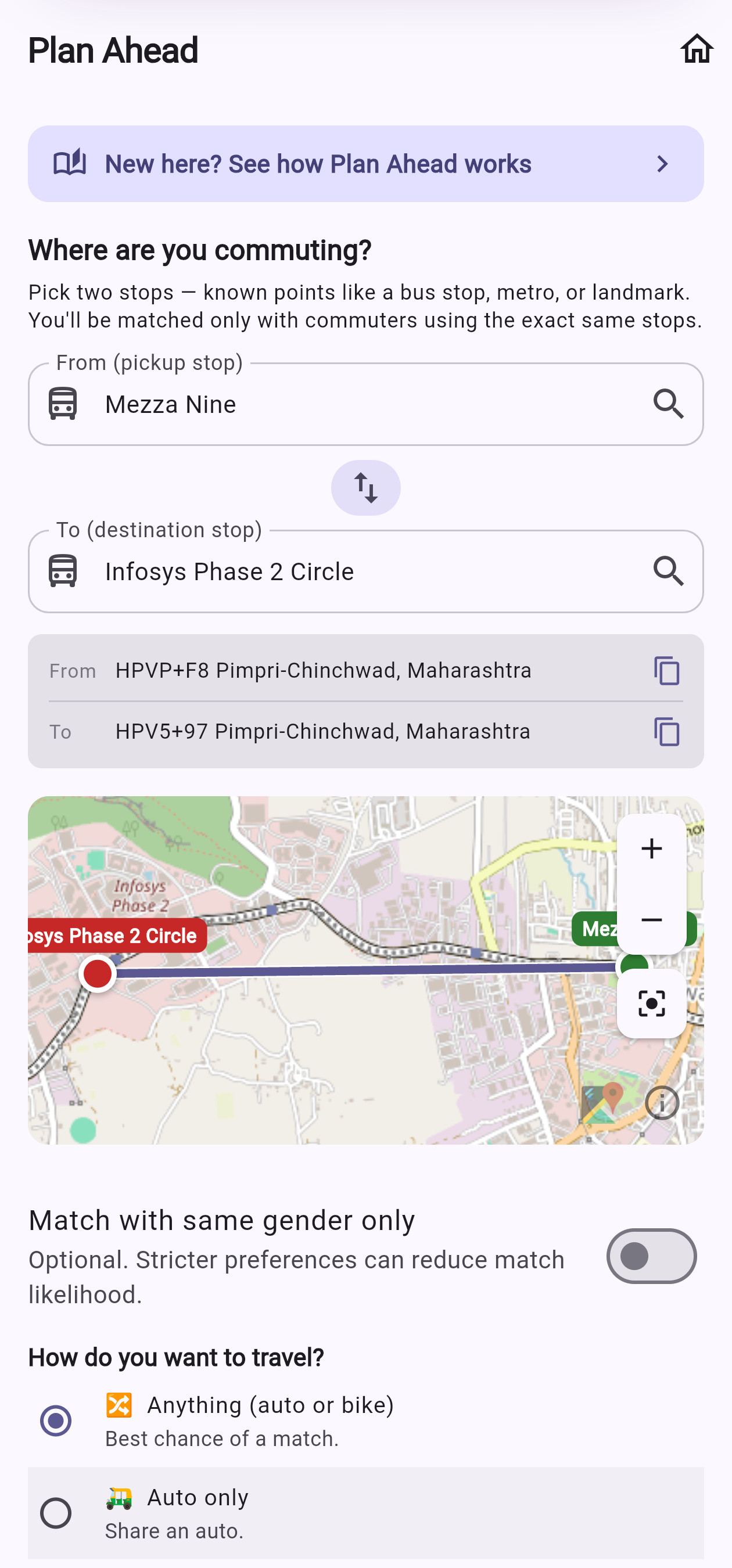
Pick your two stops 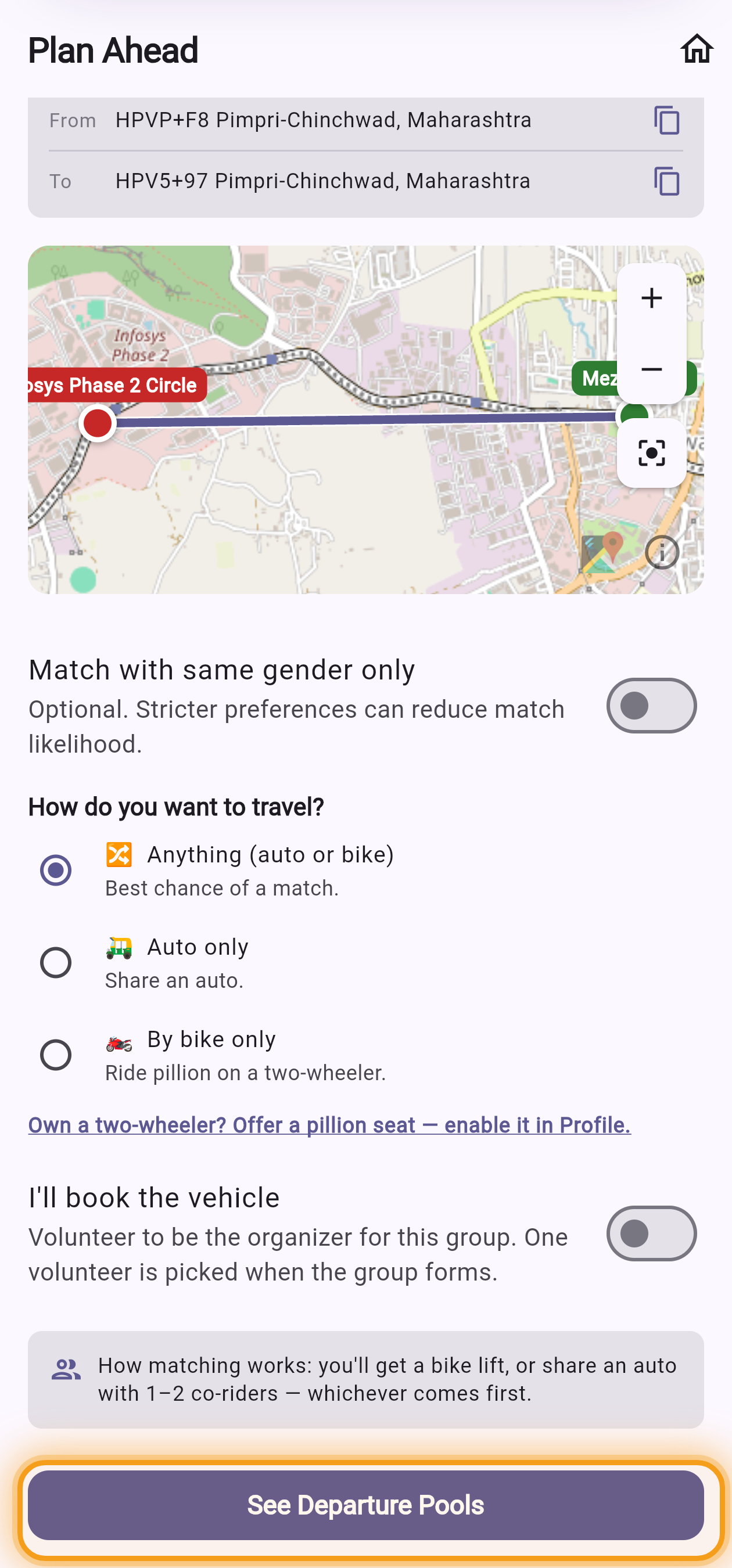
Choose how you'll travel What each travel option means
- 🔀Anything — the best chance of a match. You'll get a bike lift or share an auto, whichever comes first.
- 🛺Auto only — you'll share an auto with 1–2 other commuters going the same way.
- 🏍️By bike only — you'll ride pillion on someone's two-wheeler. You can also tick "else share an auto" so you're never left without a ride.
-
3
Choose a departure time
Times open from 9 PM the evening before. Each slot shows how many are already going your exact way ("2 in Pool") — the count just informs, it never ranks. Tap a time to book it.
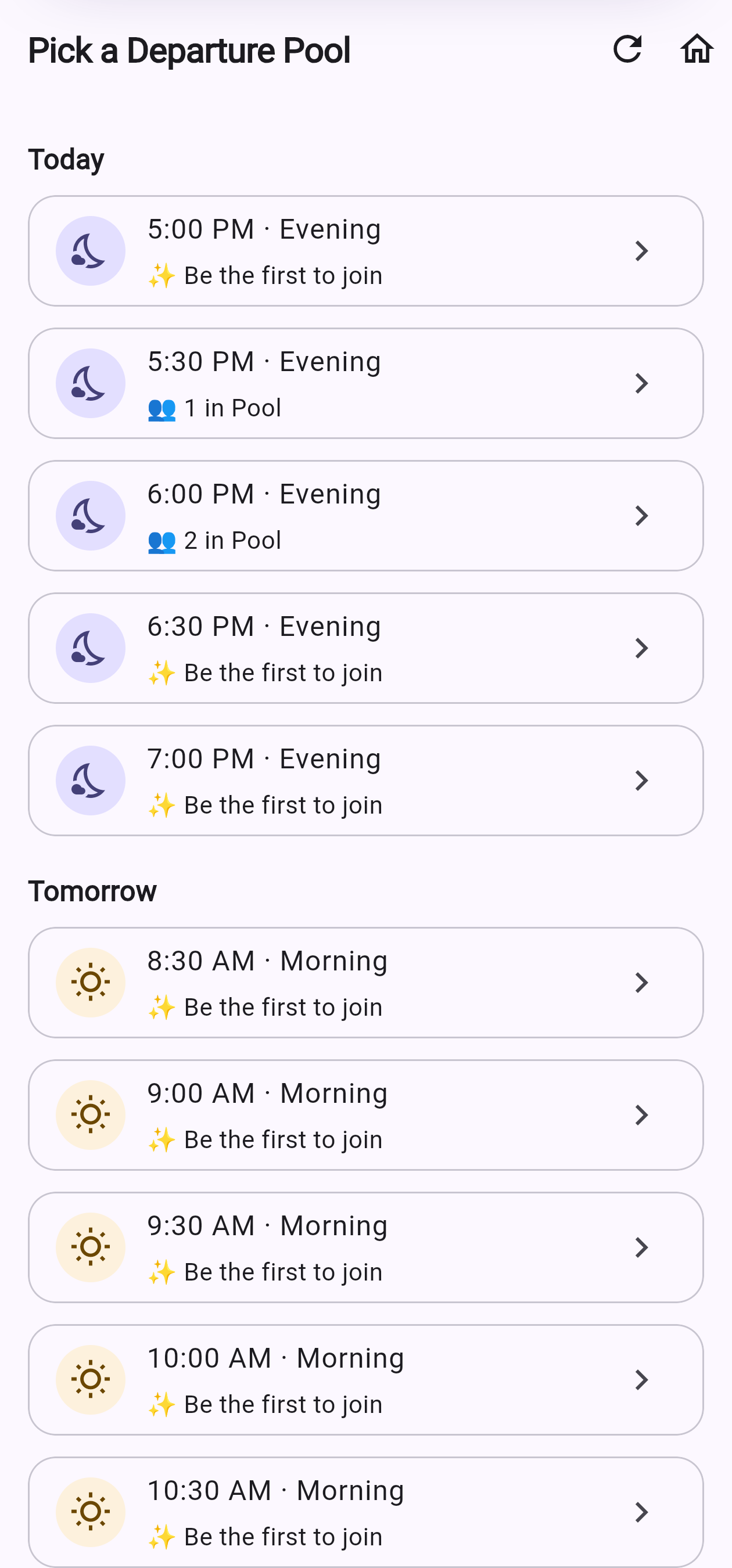
Pick a departure time -
4
You're booked — relax
That's it for now. Your booking moves along a Booked → Confirmed → Matched track. There's nothing to do until we ask you to confirm — and we'll remind you before the deadline. Need a different time? Change or cancel freely until an hour before.
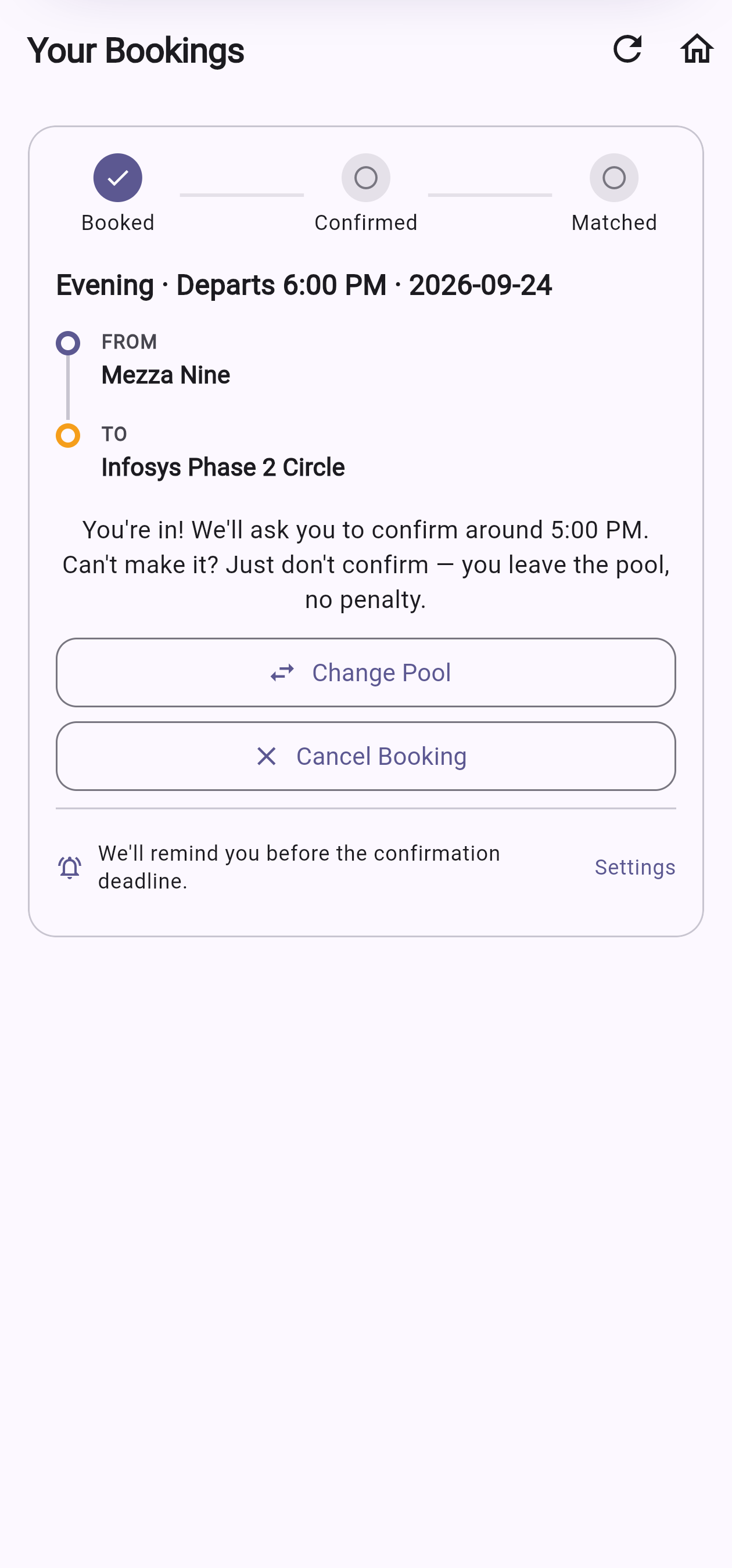
Your screen — you're booked -
5
Confirm you're coming
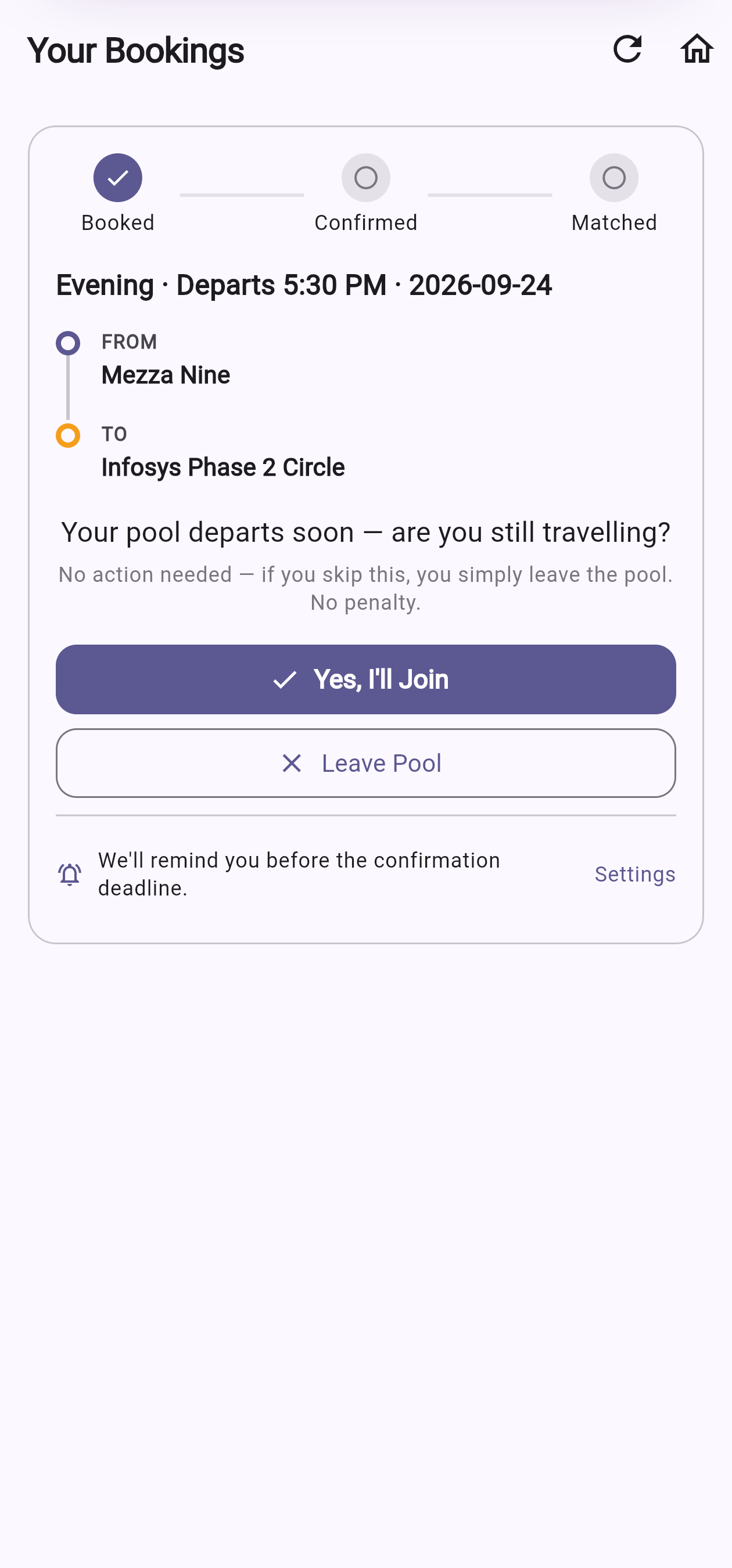
About an hour before departure, we ask one quick question: are you still travelling? Tap "Yes, I'll join" to keep your spot. Can't make it? Just don't confirm — you quietly leave the pool, no penalty. Once confirmed, matching begins about 30 minutes before.
⭐This is the one step you must do. A booked seat only becomes a real ride after you confirm — it's the only action Plan Ahead asks of you between booking and your ride.
The confirm prompt 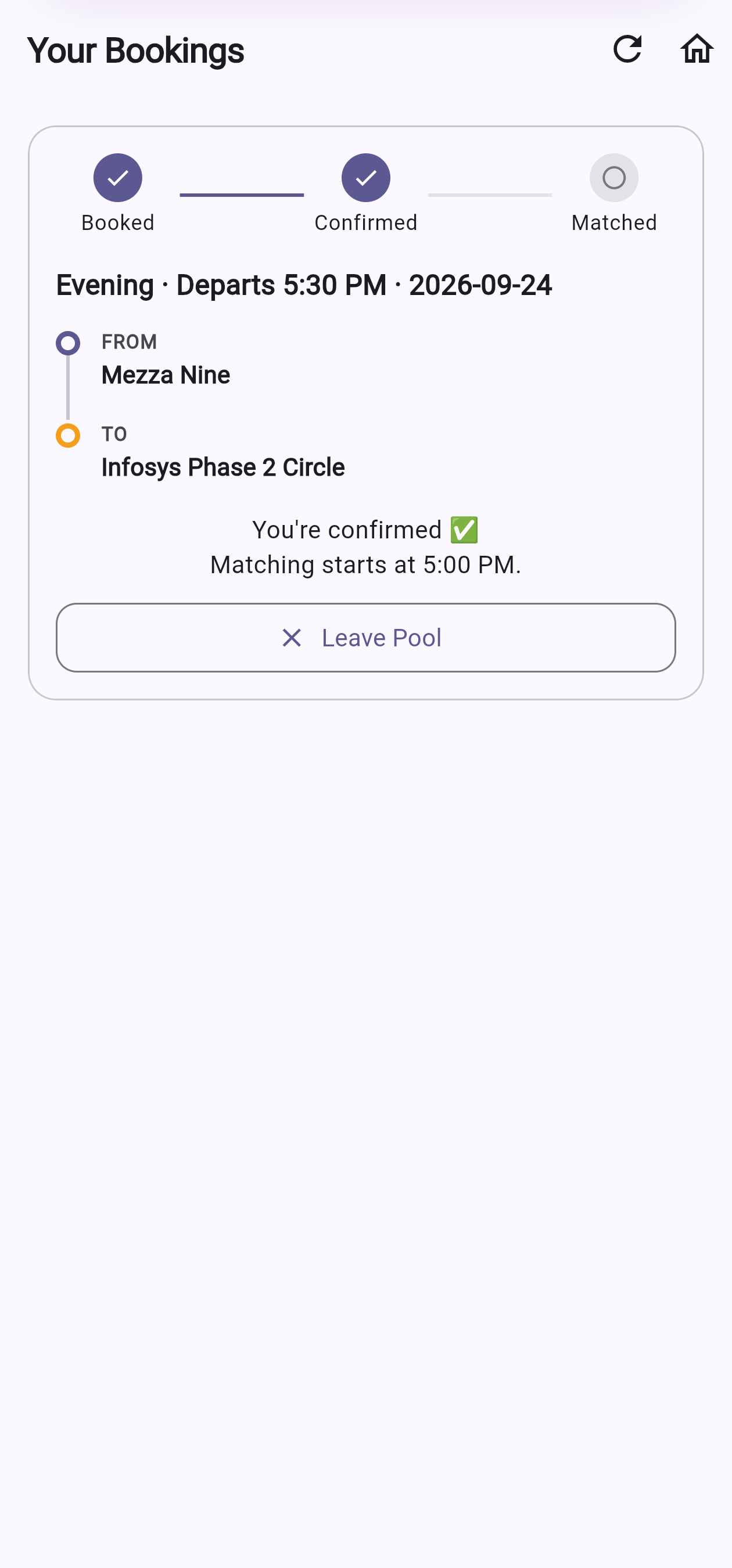
After you tap Yes -
6
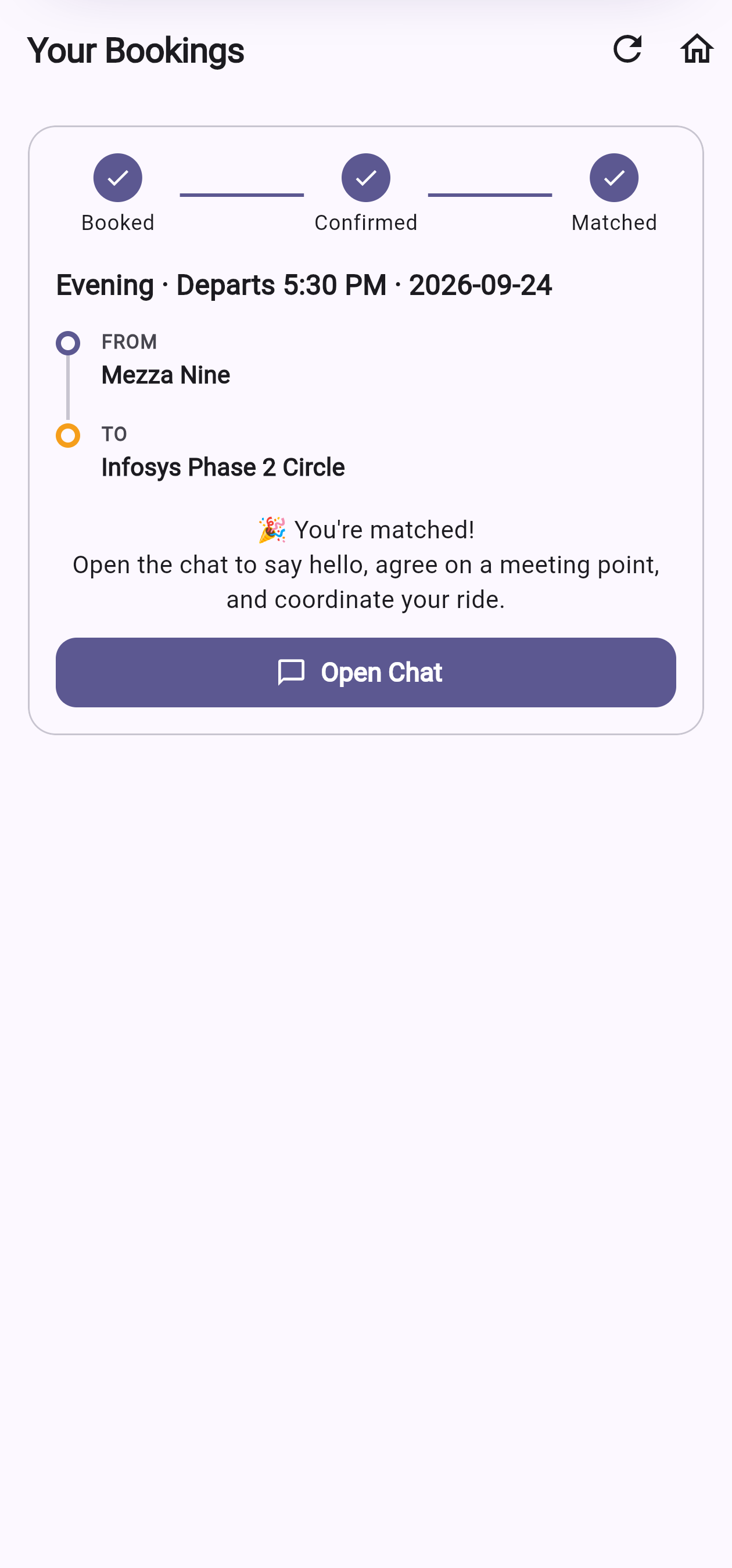
You're matched
About 30 minutes before departure, we pair you with a confirmed co-rider on your exact route and open a chat. One of you is the organiser who books the auto.
Your screen — you're matched! -
7
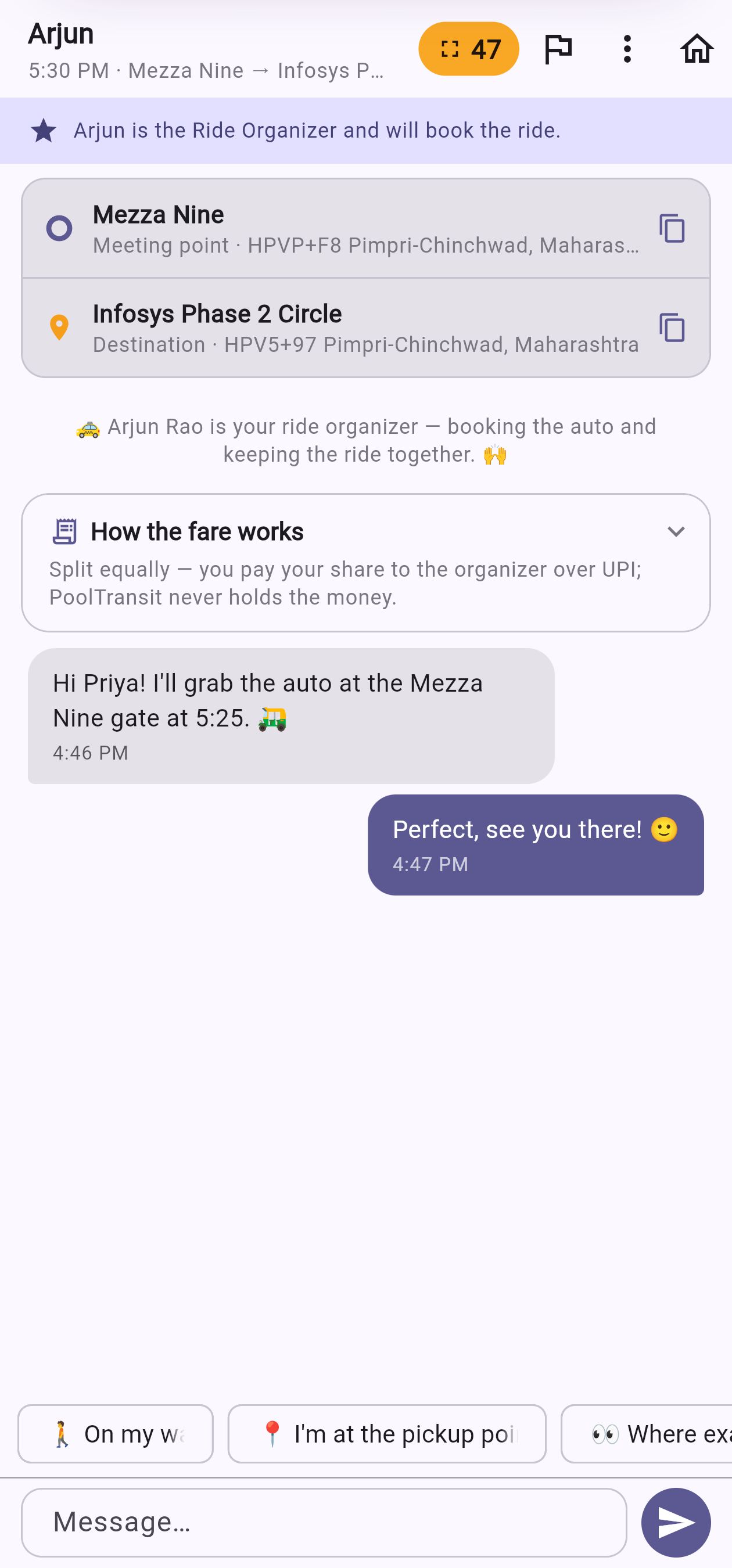
Chat, meet & split the fare
Say hi, agree a meeting point, and travel together. Afterwards the organiser logs the fare and it splits equally over UPI — PoolTransit never holds your money.
Your chat — coordinate & go
Good to know
- We'll remind you to confirm. A reminder lands before the deadline, so the one required tap is easy to catch. Miss it anyway? You just leave the pool — no penalty, no fuss.
- Exact match, on purpose. You're only paired with commuters using the same two stops, so the shared ride is genuinely on everyone's way.
- One organiser books the auto. They pay the driver; everyone sends their equal share back over UPI.
Plan Ahead works for bike rides too. Pick "By bike only" on the form and we'll pair you one-to-one with someone offering a pillion seat — arranged in advance, just like an auto booking.
⏱️ What's different about a Plan Ahead bike ride
It's a scheduled bike ride. Where Go Now finds a bike right now and Line Up ties it to the next 30-minute line, Plan Ahead lets you lock it in the evening before — you book, confirm, and get matched to your rider before departure. The book → confirm → match rhythm is exactly the same as an auto booking; only the vehicle changes.
-
1
Pick "By bike only"
On the route form, choose 🏍️ By bike only. A handy tick appears — "if no two-wheeler is found, share an auto instead" — so a quiet bike day never leaves you stranded. Then book a time as usual.
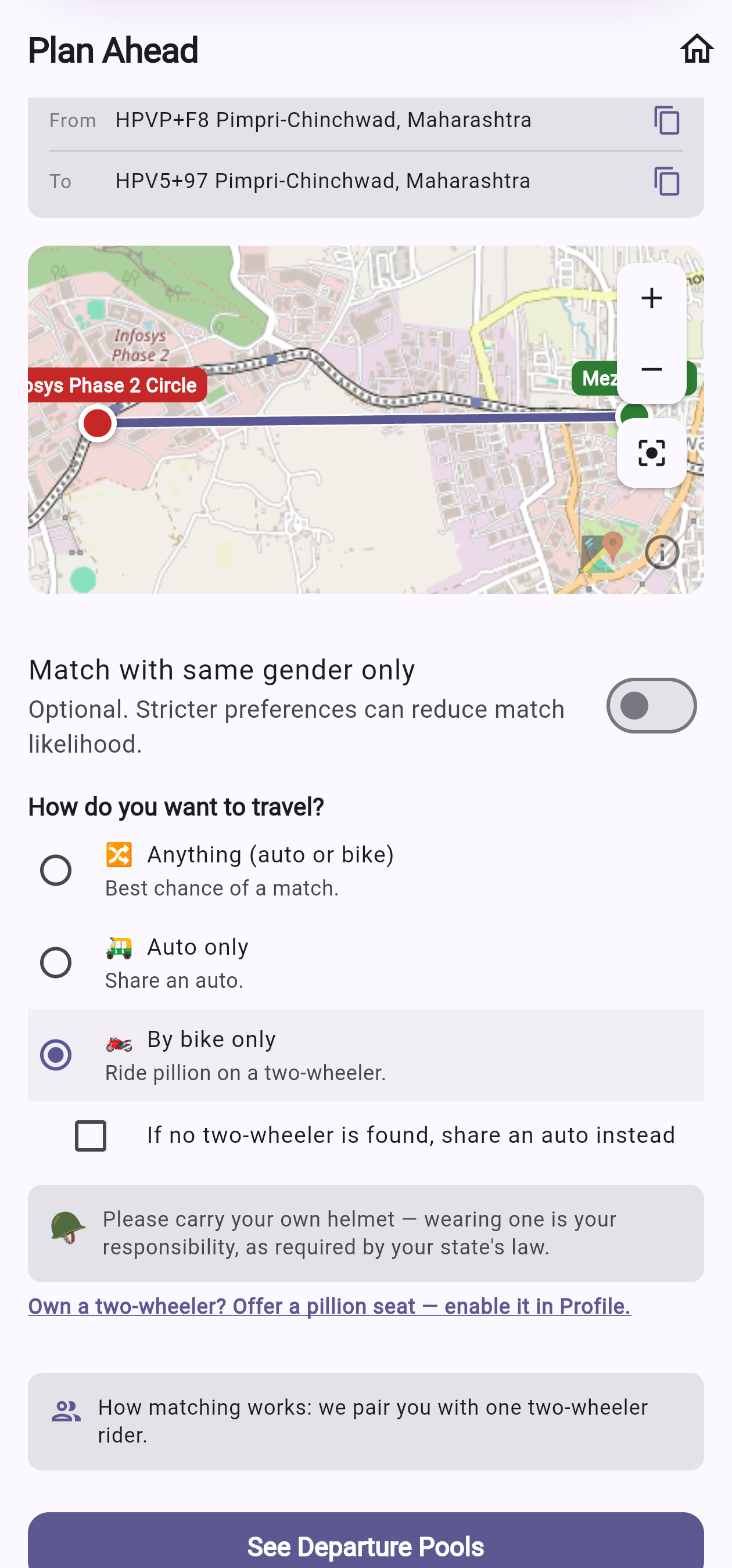
Choose "By bike only" + the fallback -
2
Book & confirm — same as always
It follows the exact same rhythm: book a time the evening before, tap "Yes, I'll join" about an hour before, and we match you to your rider around 30 minutes before departure.
-
3
Matched with your rider
Your booking shows a 🏍️ By bike badge and a helmet reminder. In the chat you'll see your rider's bike number to spot them, and a fuel chip-in — there's no four-way fare split, but your rider spent their own petrol and effort to carry you, so please send a little their way. It goes straight to them over UPI; PoolTransit never holds the money.
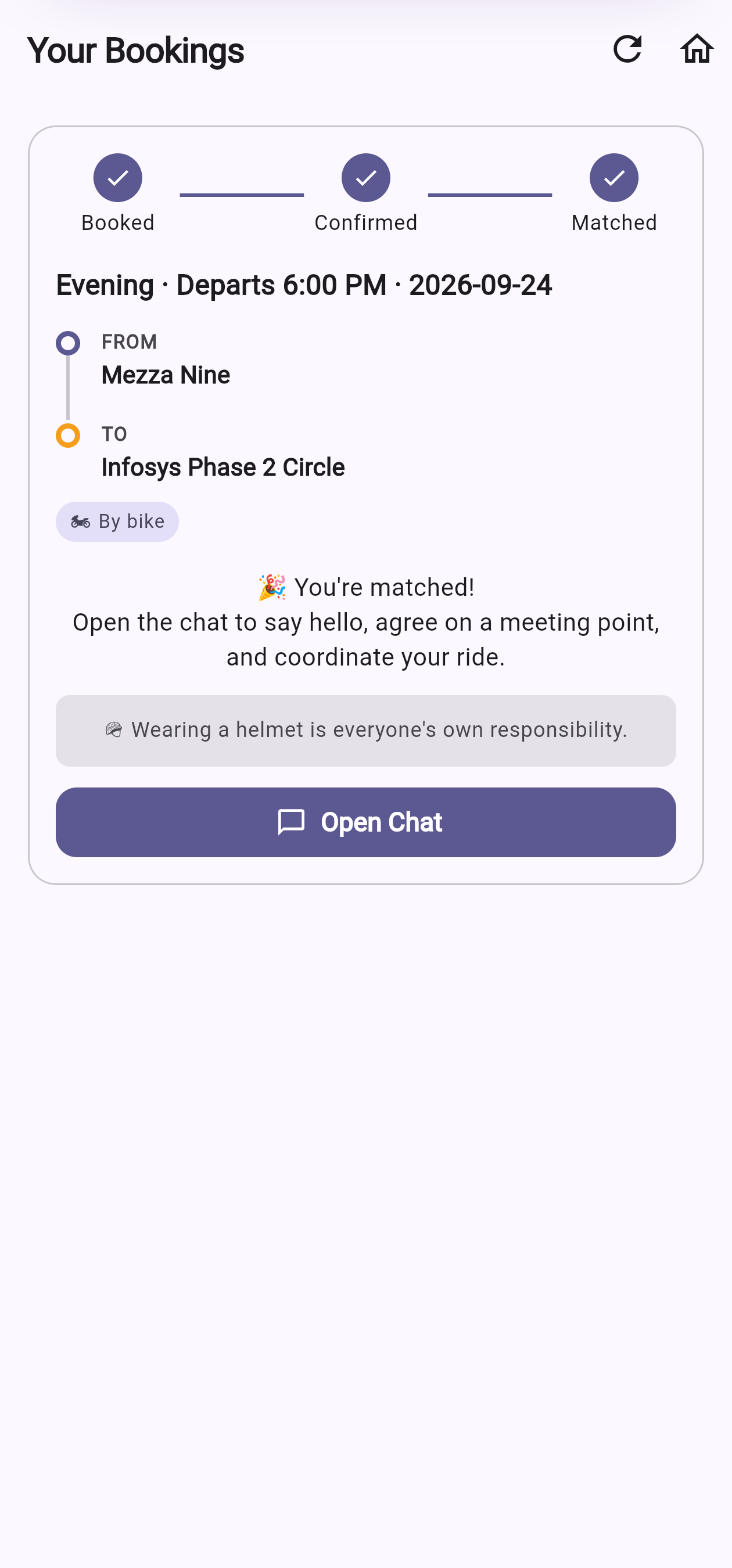
Your screen — matched by bike 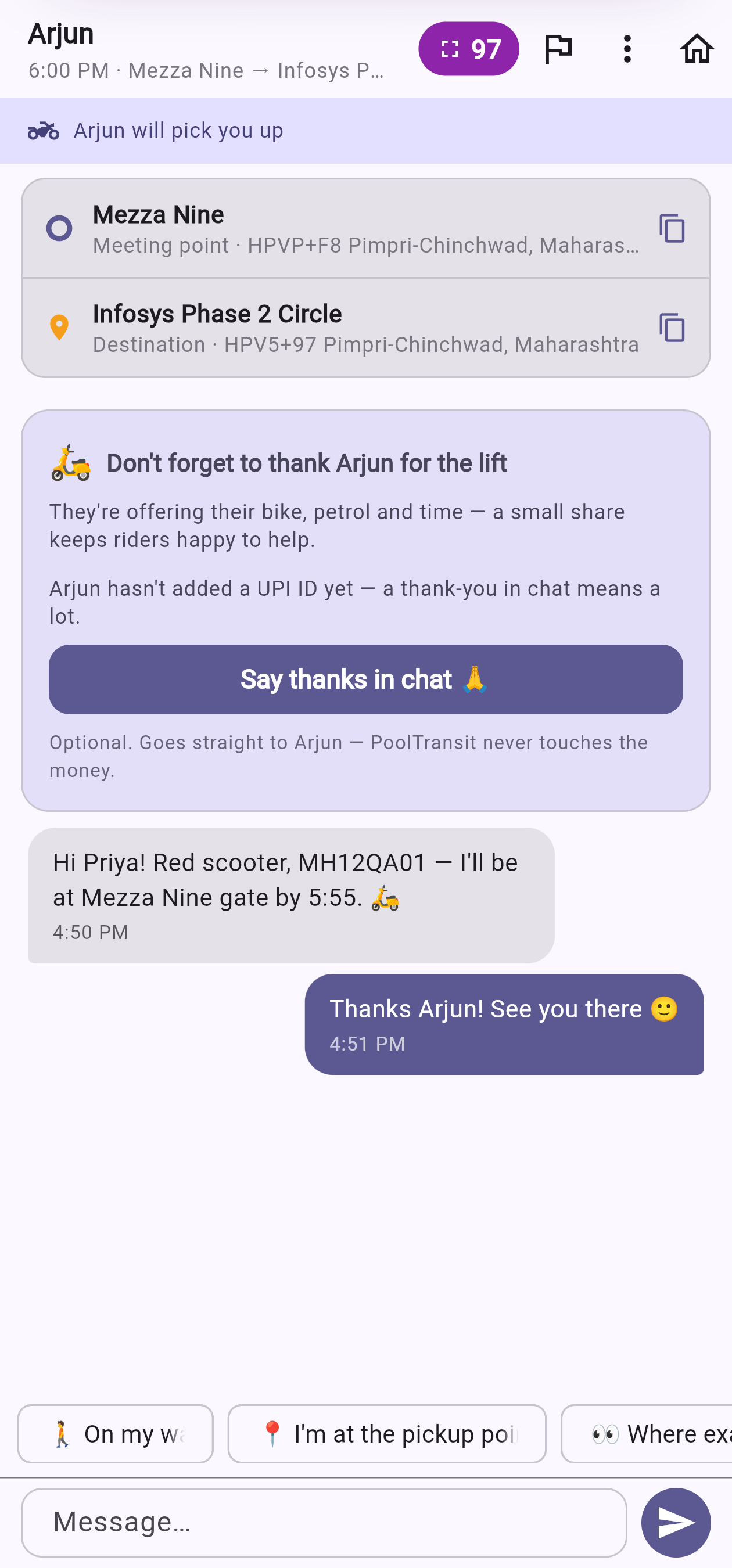
Your chat — chip in for their petrol
Turn on your two-wheeler in Profile
Open Profile, switch on "I ride a two-wheeler" and add your number plate (shown only to the passenger you're paired with). After that, your Plan Ahead form becomes an "offer a lift" form — you book a time and we pair you with one pillion for that departure.
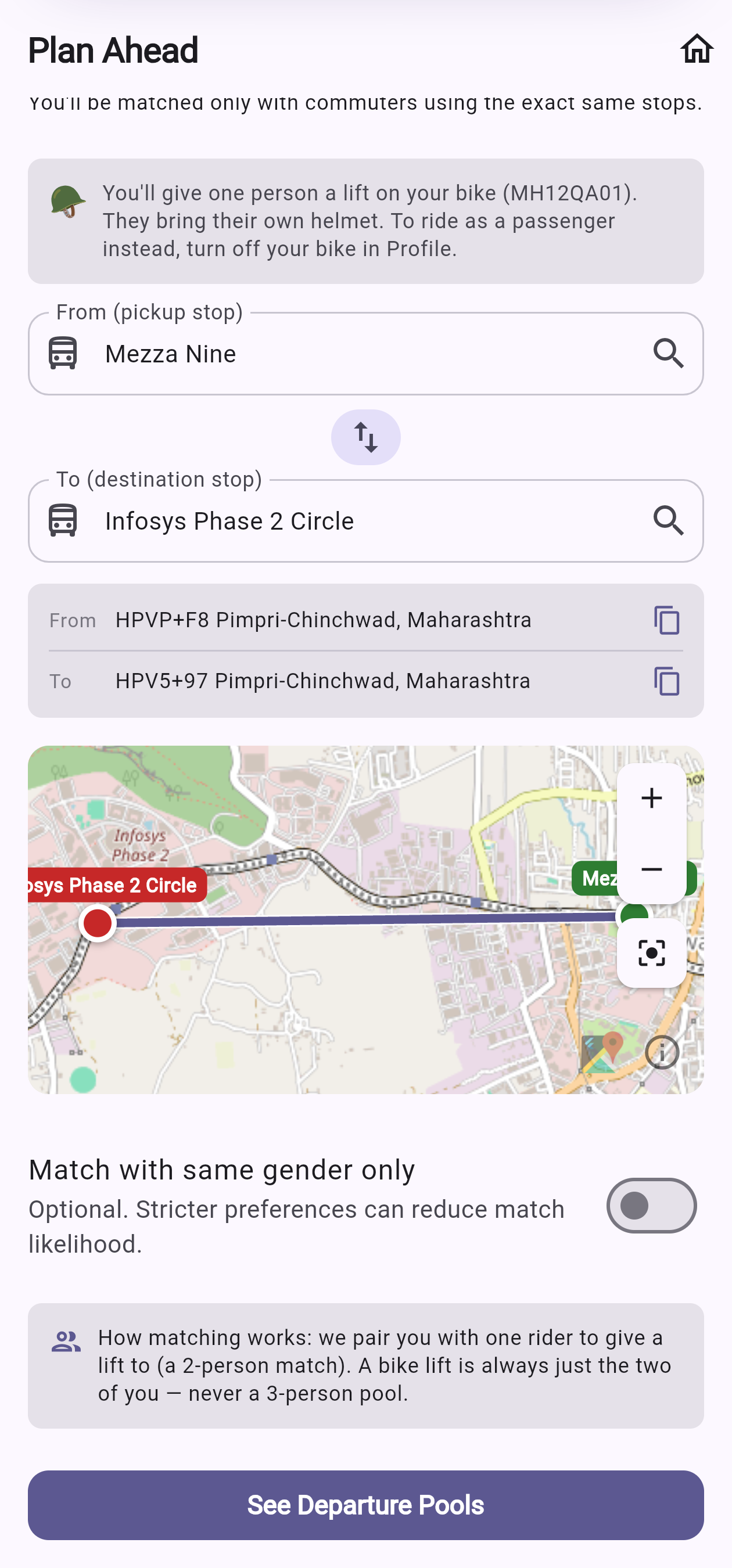
Good to know
- Same book → confirm → match rhythm. A bike booking behaves just like an auto one — only the vehicle and the matched screen differ.
- Never left stranded. Tick "else share an auto" and if no rider is free, you fall back to an auto share automatically.
- Helmets & a fuel chip-in. Carry your own helmet, as your state's law requires. And please chip in a little for your rider's petrol — it goes straight to them over UPI.
Frequently asked questions
How do I sign in?
Sign-in is passwordless. Enter your phone number and we send a 6-digit one-time code over WhatsApp — enter it and you're in. There's no password to remember.
How does matching work?
We match people going between the exact same two stops — the same starting hub and the same destination hub. We don't do partial-route or detour matching, which keeps every match simple and genuinely on your way.
How do we pay and split the fare?
PoolTransit never holds your money. We work out an even split and open your UPI app with the amount pre-filled — you pay your co-rider or the organiser directly. Marking a payment as "paid" is a self-report, not a bank verification.
What is a Ride Organiser?
For a shared cab, one person in the group is the Ride Organiser — they book the cab and everyone chips in their share. In a bike-pillion ride, the rider is the organiser. It's just a coordination role, not a payment role.
Is my location tracked?
No. PoolTransit does not track your ride or store your location. The only exception is the optional "Find each other" feature — after you're matched, you and your co-rider can both choose to share your live location for a few minutes to meet up at the stop. It's mutual opt-in, only works near the hub, and is never stored.
What happens if someone doesn't show up?
Please show up when you're matched — it keeps things fair for everyone. If a co-rider doesn't turn up, you can report it in the ride chat. Repeated no-shows lead to a temporary time-out. If you're wrongly reported, you can dispute it from your Home screen.
Who can see my details?
Before you're matched, everyone is anonymous — you only see how many people are going your way. After a match, co-riders see your first name and photo only. Your phone number is never shown to other riders.
What are Founding Members?
The first members to join after launch get a permanent Founding Member number, and you can climb a Bronze/Silver/Gold badge by inviting friends who take their first ride. It's recognition, not a payment or discount programme.
How do I delete my account?
You can request deletion any time from pooltransit.com/delete-account, or by emailing us. We remove your personal data as described in our Privacy Policy.
Still need help?
Email us at [email protected] and we'll get back to you. Including your phone number and what you were doing helps us sort it out faster.